TROJAN BATTERY
10
4.8 BATTERY STARTUP
Your battery may be shipped at 50% state of charge (SOC) or lower. Prior to installation, fully charge the battery to
100% SOC.
Prior to installation, follow the instructions in Section 6.2: “Initial Charging.”
Perform the following steps to turn the battery on:
î Verify that the battery is either completely disconnected or correctly connected to the equipment it will be powering.
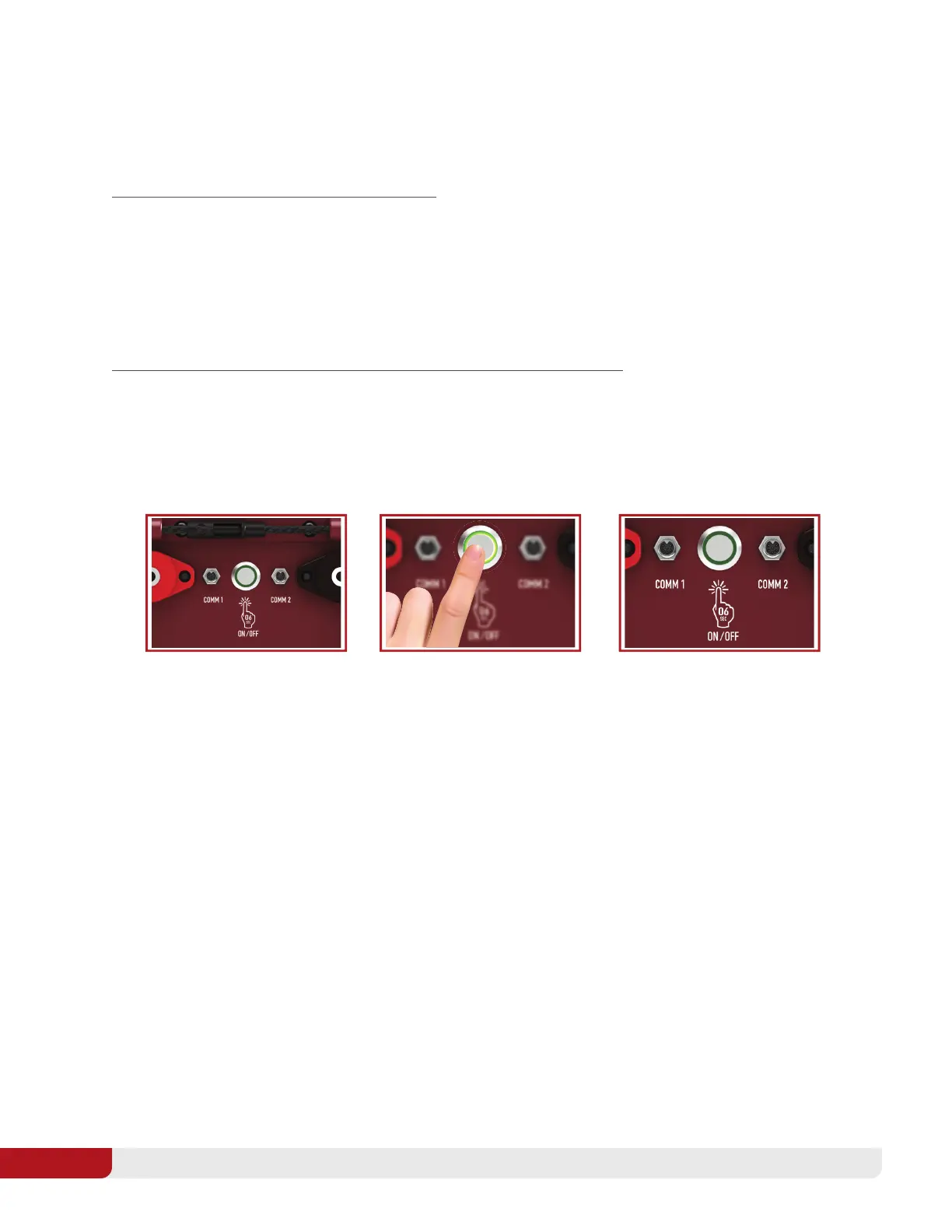
î Be sure you are able to see the ON/OFF Power Switch on the side of the battery.
î Press and hold the ON/OFF Power Switch for 6 seconds then release. The Green LED will have 4 long blinks
to indicate the button can be released.
î A green blinking LED light will appear on the ON/OFF Power Switch to indicate the battery is on.
Perform the following steps to turn the battery off and place it in storage mode:
î Press and hold the On/Off switch for 6 seconds then release. The green LED will have 4 long blinks to indicate
the button can be released.
î The green blinking LED switch light will no longer be illuminated. The battery is off if no illumination is present.
The battery can also be turned on and off using the dashboard push button accessory. If using the dashboard push
button to turn the battery on or off, push and hold the button for 1 second. The SOC gauge display will be your
indicator if the battery is on or off.
If the battery has been intentionally turned off for shipping or because of a shutoff condition, you can restart it by the
above steps. However, if a condition that causes a shutoff has not been corrected, the battery will shut off again.
See Section 10.3: “Protection Limits: Automatic Disconnection,” for specific explanations of shutdown causes.
Power On/O: Locate the
ON/OFF Power Switch on the
side of the battery in-between
the power terminals.
Turning On: Press the button,
hold for 6 seconds, and release.
A green blinking LED light will
appear to indicate the battery
is on.
Turning O: Press the button,
hold for 6 seconds, and release.
Verify that the green LED is no
longer blinking.



 To Next Page