2
Multipoint Connection
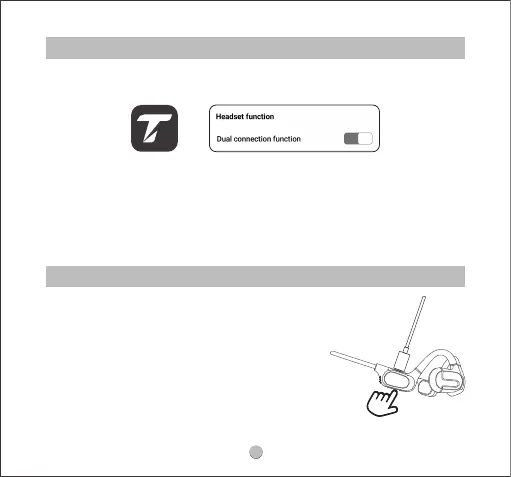
Reset
1.Please use the charging cable to charge
the headphones and ensure that the
headphones are in charging status.
2.Press and hold the power button of the
headphones for 3 seconds until red and
white indicators ash alternately twice.
3.Unplug the charging cable and turn the
headphones on, then the reset is complete.
Please activate the multipoint connection function in the TRUEFREE APP before you
are ready to use it.
The pairing steps are as follows:
1. Turn o the Bluetooth on Device A aer successfully connecting to the
headphones.
2. Repeat the pairing operation to connect the headphones to Device B.
3. Turn on the Bluetooth on Device A aer successfully pairing to Device B.
4. Once the headphones are re-connected with Device A, the multi-point
connection function can work now.



 To Next Page