4
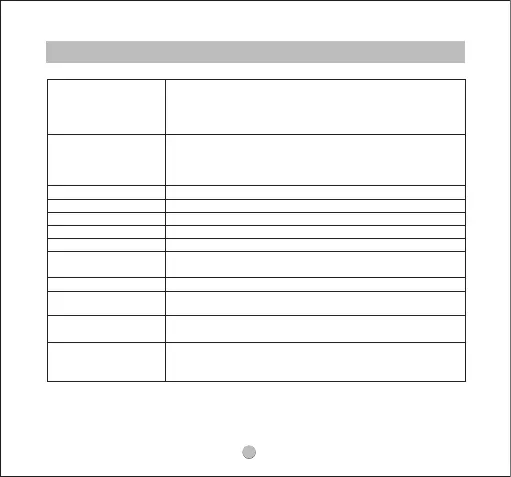
Control
Power On
Power o
Play/Pause
Volume-
Volume+
Next Track
Previous Track
Answer/
Hang Up a Phone Call
Reject a Phone Call
Switch Between Two
Active Calls
Activate the Voice
Assistant
Activate/
Deactivate the Game
Mode
Auto: Open the charging case; the earphones turn on
automatically.
Manually: Press and hold the multifunctional button for 1.5s
when earphones are o.
Auto:Place the earphones back into the
charging case and close the case lid.
Manually: Press and hold the multifunctional button for 10s
when earphones are on.
Double-tap on the multifunctional button
Single-tap on the le multifunctional button
Single-tap on the right multifunctional button
Press and hold the right multifunctional button for 1.5s
Press and hold the le multifunctional button for 1.5s
Double-tap on the multifunctional button
Press and hold the multifunctional button for 1.5s
Press and hold the multifunctional button for 1.5s
Triple-tap on the right multifunctional button
Triple-tap on the le multifunctional button



 To Next Page