8
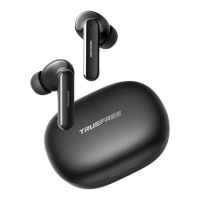
How to reset TRUEFREE O1?
1. Place the earphones back into the charging case, and make sure they are
correctly placed.
2. Keep the charging case lid open, and press and hold the button on the charging
case for 10 seconds until the lights in the charging case ash white twice, and the
reset is complete.
3. Close the charging case lid and re-open it, the earphonesare activated.
What can I do if the left earphone and the right earphone won’t
work together? Or one earphone doesn’t work?
1.Please use a bit of light microber cloth with a bit of rubbing alcohol to clean the
charging connectors to ensure the earphones charge well.
2.Put them into the charging case to reset.
What can I do if the earphones connect to my phone, but not
my Mac-book/computer?
1.Unpaired the earphones from the phone, then the earphones will lose Bluetooth
connection to the phone and enter into pairing mode.
2. Put the earphones into the charging case to reset.
3.Then open the Bluetooth of your Mac-book/computer to connect.
4.If those do not help, you may need to update your computer's Bluetooth driver.
There is no driver for it. Bluetooth drivers must come from the specic manufacturer
for your exact computer model. Download and install the appropriate Bluetooth
driver from the computer vendor's website, then restart your system before
attempting to pair and connect to your earphones.


 To Next Page
 Loading...