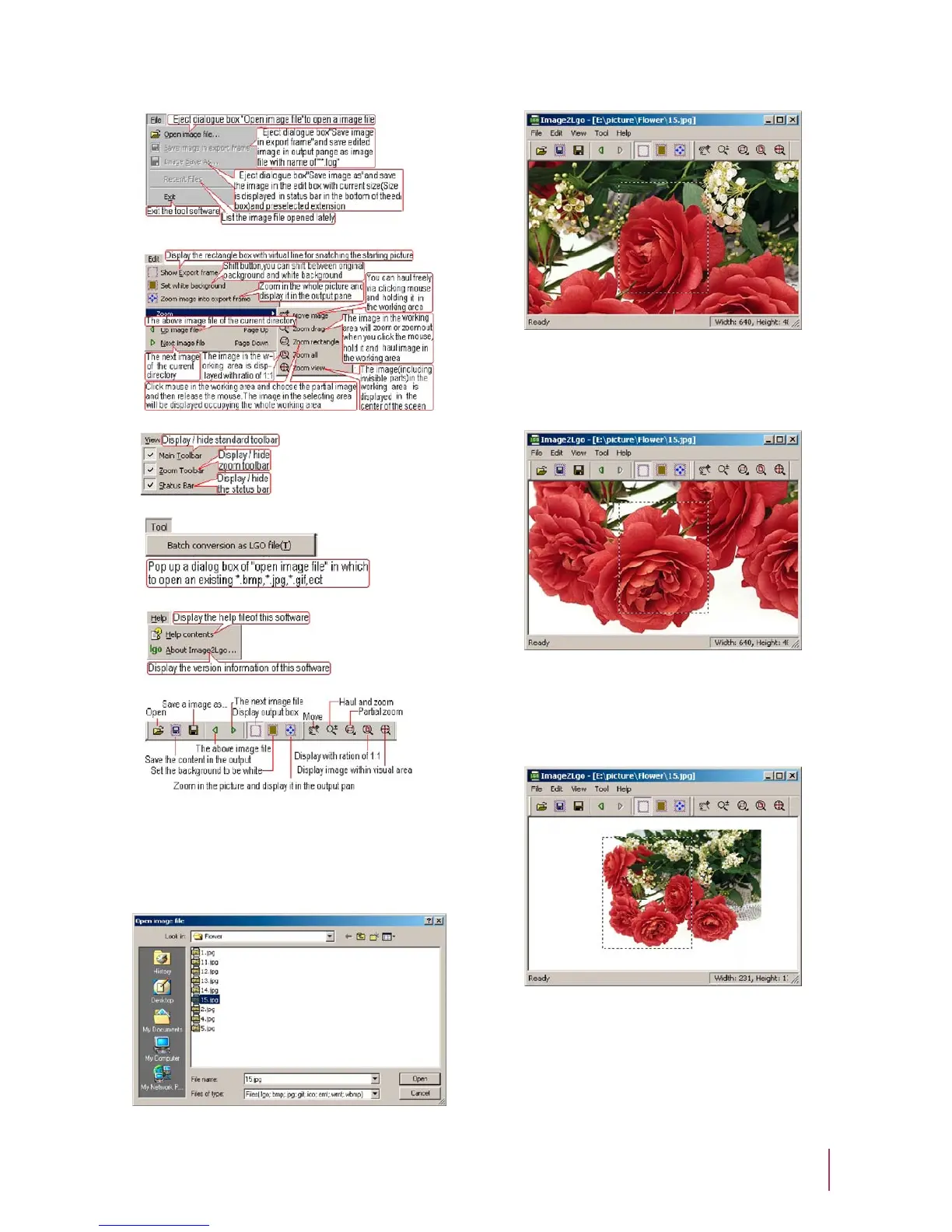
Introduction:
Operation:
Click [File - Open Image File] to [Open image file] dialog
(Figure 8).
Figure 8
Open the selected image file (Figure 9).
Figure 9
Click [Move] button to move the frame to the desired position.
(Figure 11).
Figure 11
Click [Drag and Resize] button to resize the picture. Click [Show
Output Frame] button to select the part of picture that will be
used as the start-up image. (Figure 12)
Figure 12
5


 To Next Page