EasyManua.ls Logo

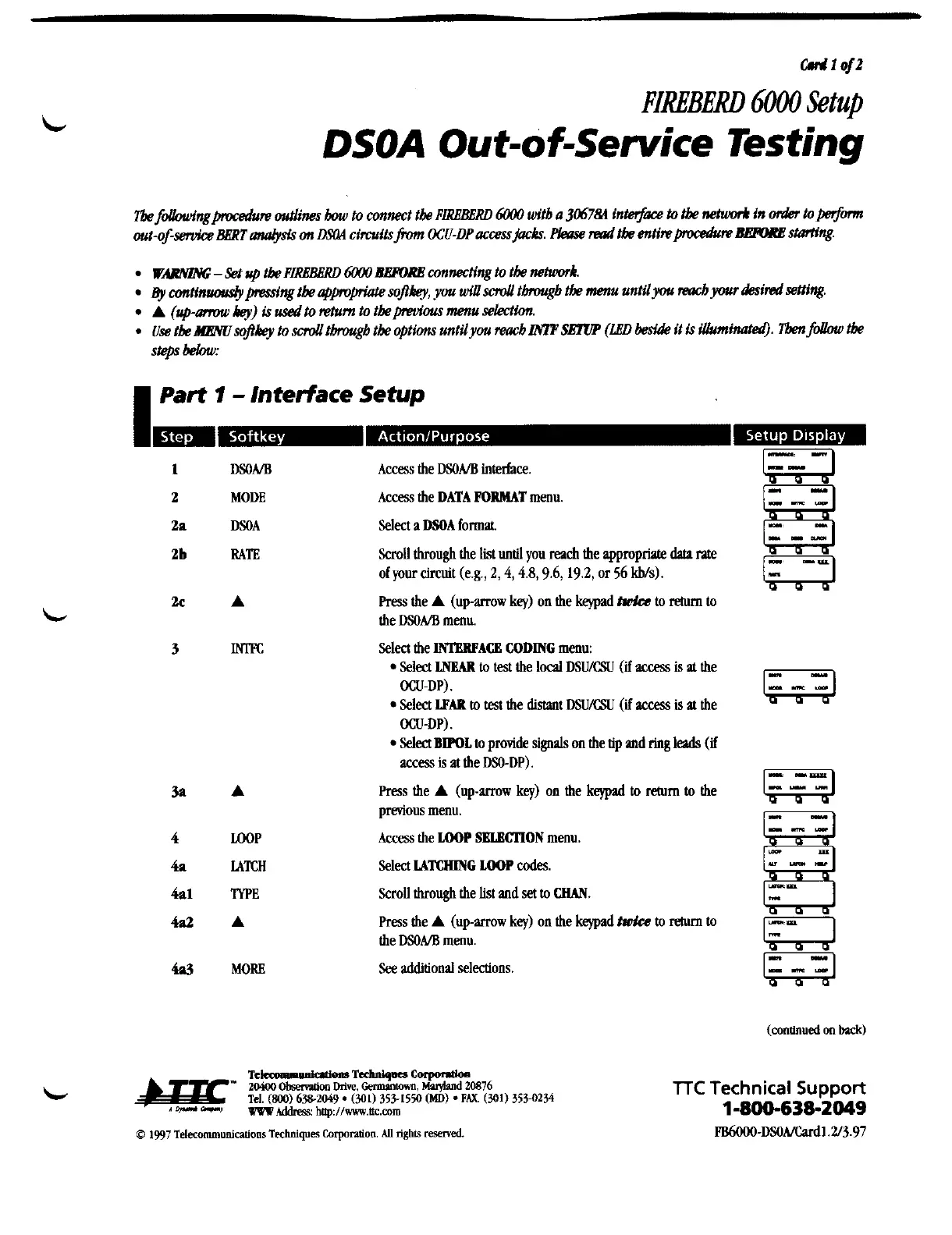
TTC FIREBERD 6000 - DSOA Out-of-Service Testing; Part 1 - Interface Setup

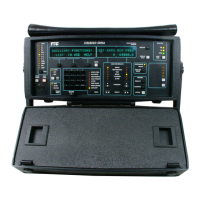
TTC FIREBERD 6000
38 pages
Print Icon
To Next Page IconTo Next Page
To Previous Page IconTo Previous Page
Loading...
c#r
1
ojz
FIREBERD
6000
Setup
DSOA
Out-o f-sewice
Testing
Tbe
fdbwingpocedun
outlines
tmu
to connect tk
PLRBBGRD
6WO
witb
a
306784
intet$ace
to
tbe
whmr.4
in
&
toperfonn
out-ofservice
aBRT
aaEysis
on
aFOA
circuits
from
OCU-DP
accessjacks.
Fkw
Plaaw
tbe
entinpocedum
BEFME
stariing.
WARNZIW;
-
Set
up
tbe
PLRBBBRD
6W0
dlBPORB
connecting to tk nehuwk.
~y
mtinuoudypmdng
tk
ajpvpriate
sopkey, you
dsd
thgb
tk
menu untilyou
reacb
your
&mi
Wing.
A
(up-amnu
key)
is
usedto
nhun
to tbepmfous menu
selecNa.
.
Use
tk
HEWsopkey to
sd
tbrargb
tk
options untilyou
raacb
LWP
SETUP
(LBD
beside
it
is
iUuminatm9.
Tbenfollow
tbe
steps
bebw:
I
Part
1
-
Interface
Setup
DSONB
MODE
DSOA
RATE
A
m
A
rnP
LATCH
lYPE
A
MORE
Access
the
DSOA/B
interface.
Access
the
DATA
POIMAT
menu.
Select
a
DSOA
format
Scroll through the
list
until
you
reach
the appropriale
data
me
of your circuit (e.g.,
2,4,4.8,9.6, 19.2,
or
56
Ws).
Press
the
A
(up-arrow
key)
on the
keypad
twh
to
rehm
to
the
DSONB
menu.
Select the
lMgllPACB
CODING
menu:
Select
LNEAR
to
test
the
local
DSU/CSU
(if
acm
is
at
the
OCU-DP).
Select
LPAR
!a
test
the
distaot
DSU/CSU
(if
access
is
at
the
OCU-DP).
Select
BWOL
to
provide
signals
on the tip
and
ring
leads
(if
access
is
at the
DSO-DP).
Press
the
A
(up-mw
key)
on the
kqpad
to
return
to
the
previous menu.
Access
the
LOOP
SBLBCTlON
menu.
Select
MTCHING
LOOP
codes
ScroU through the
list
and
set
to
WAN.
Press
the
A
(up-arrow
key)
on the
keypad
twh
to
return
to
the
DSOA/B
menu.
See
additional selections.
TTC
Technical
Suppoa
1-800-638-2049
FB6OOO-DSOA/Cud1.2~3.97
Artisan Technology Group - Quality Instrumentation ... Guaranteed | (888) 88-SOURCE | www.artisantg.com

Related product manuals