7. Sinewave Distortion
Select sinewave, 5k range, 3kHz. Adjust VR10 and VR11 for minimum distortion. Adjust
VR9 for the output to be symmetrical about 0V.
8. AM
500k range, approximately 300kHz, sinewave, modulation to minimum, amplitude to
maximum (20V pk-pk).
Select AM, check output drops to half (10V pk-pk) adjusted by VR18.
Modulation to maximum, adjust VR17 for 100% modulation.
Release all 3 function buttons, increase the oscilloscope gain and adjust VR19 for
minimum output of the 400Hz modulation source.
Adjust VR20 for 0V ± 50mV output. Turn AM off.
9. Meter Calibration
Calibration of the frequency meter was covered in 6 above.
Display select to amplitude, 5k range, squarewave, adjust the amplitude control to give
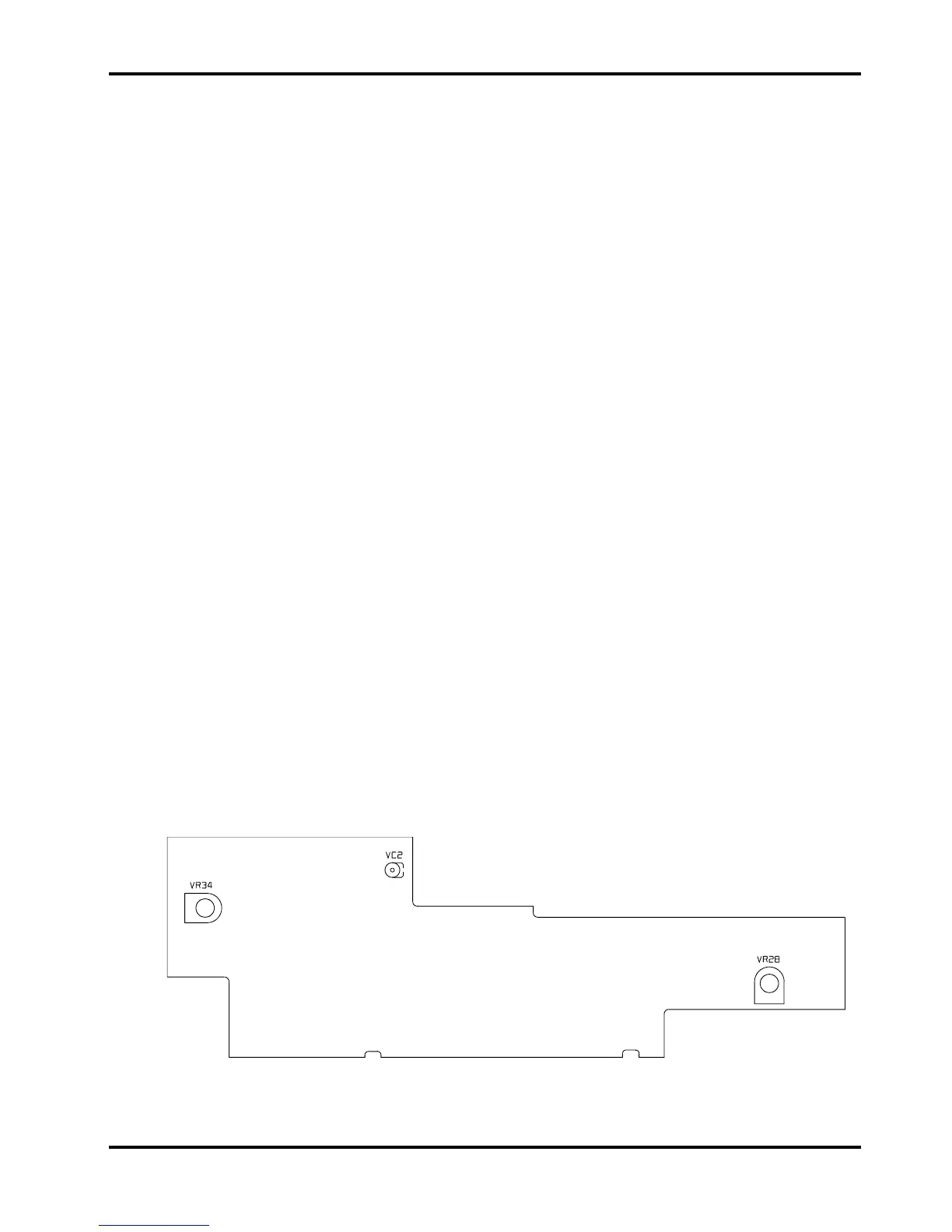
16V pk-pk (8V pk-pk into 50Ω) then adjust VR28 on the control board for 1600 on the
display.
Display select to offset, release all 3 function buttons, amplitude to minimum, offset control
at centre detent, connect a multimeter to the main output, adjust VR22 so that both meters
read the same.
Offset control fully clockwise, adjust VR21 so both meters read the same, ±1%.
10. Sweep
Sweep to ON, LIN stop control to maximum, 5M range, vernier to minimum (·005), hold in,
set start and adjust VR2 for 4·3kHz to 4·8kHz. Select LOG, hold in set start and adjust
VR4 for 4·3kHz to 4·8kHz. Select 500k range, hold in, set stop and adjust VR3 for
500kHz.
VR34 on the display board adjusts display contrast.
11. Power Consumption
230V <100mA
115V <200mA
Control Board – Calibration Points
15



 To Next Page