LED Color
White AUX
Blue SPDIF
Orange Micro USB
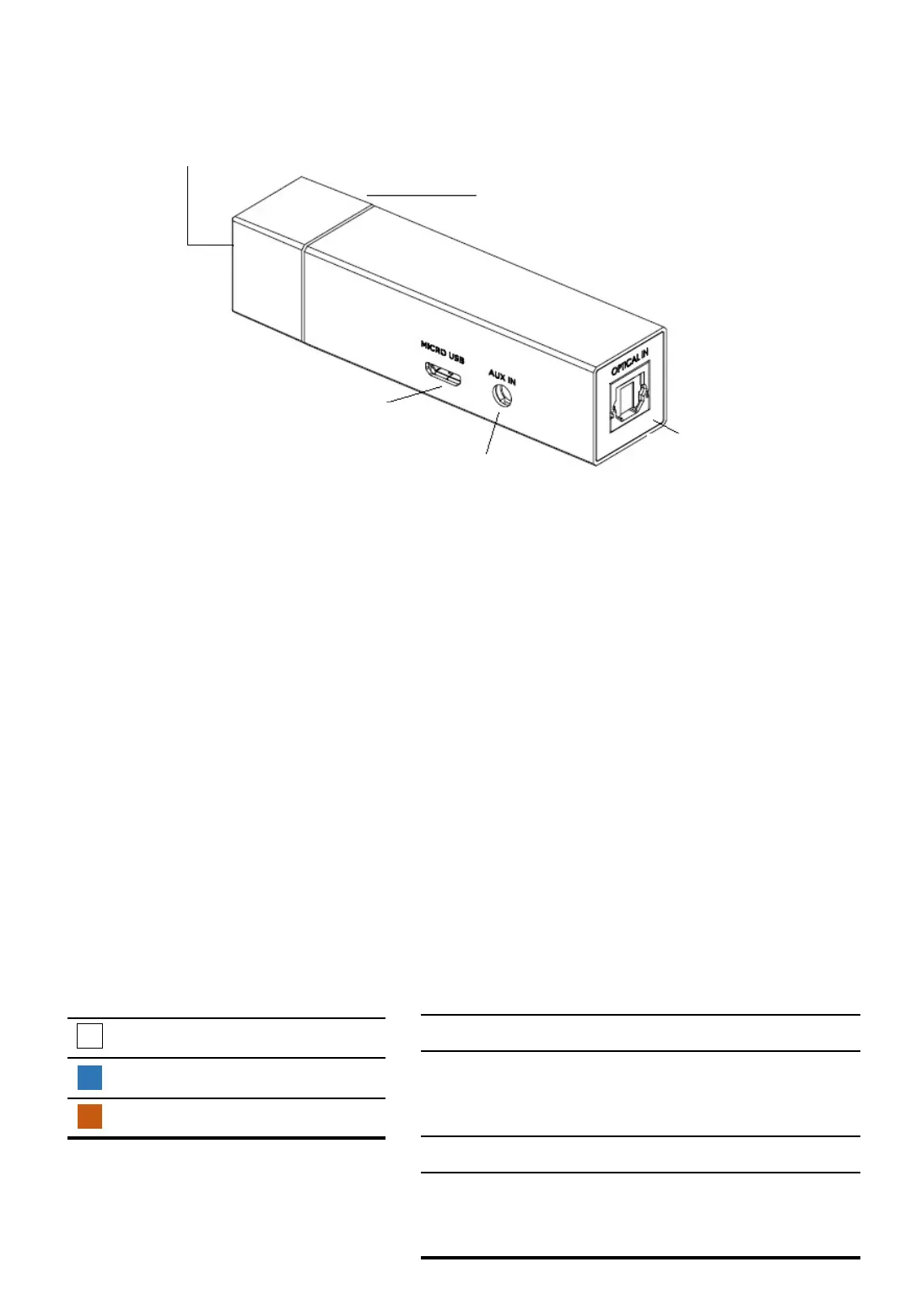
TUNAI WAND OVERVIEW
LED Indicator
USB Port
(Power/Audio)
AUX Port
(Audio)
SPDIF
(Audio)
Button
INPUT PORTS
• USB : Power supply and USB audio input
• AUX : 3.5mm audio input
• SDPIF : Optical audio input
BUTTON
• Short press : Mode change / Wake up
• Long press : Force WAND to enter pairing mode
LED Indicator
LED Status
Rapid Flash Pairing Mode
Slow Flash Available for previous
paired device to
connect
LED On Connected
LED Off LED goes off
automatically after 5
minutes
2
- TUNAI WAND User Manual -



 To Next Page