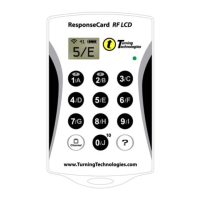
Quick Yellow Blink then OFF/LCD with Circle with Slash-
Receiver is not accepting data at this time
Blinking Yellow - key is being transmitted (up to 8 seconds)
Solid Green/LCD with Response pressed - key transmit
successful - ready for input
Solid Red/LCD with Ch and Slash- key transmit failed – ready
for input
Blinking Green/LCD with Response pressed - Receiver
indicated correct answer
Blinking Red - Receiver indicated incorrect answer
Blinking Green and Blinking Red will only occur if the Receiver is
configured to indicate a correct or incorrect answer (CORRECT
POLLING mode).
Set RF Channel
Press Channel Button
Set RF Channel mode is indicated by the status LED flashing a
RED then GREEN pattern. Set RF Channel mode exits
automatically after three valid keys are pressed, if no valid key is
pressed for 8 seconds, or at any time an invalid key is pressed.
Valid keys are ‘0’ through ‘9’. Valid RF Channels are ‘01’
through ‘82’.
While in Set RF Channel mode pressing a valid key will cause the
status LED to briefly flash YELLOW. When Set RF Channel
Mode exits, the status LED indicates the result as follows:
Solid Green - Set RF Channel successful
Solid Red - Set RF Channel failed


 To Next Page
 Loading...