3. Add Or Delete Devices
Click the APP and log in, click Add Device --> Security Sensor --> Sensor
(Wi-Fi) .
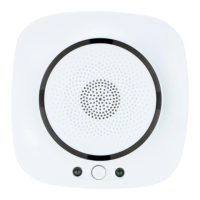
Power on the detector, press the “reset”button for 5 seconds, then the detector will enter
into WiFi connection status.(Green LED flashes quickly, indicating that it is in ‘Smart Link”
Connection mode. Green LED flashes slowly, indicating that it is in AP mode.).
“Smart Life” APP has two wifi connection mode,’Smart Link”is the default mode. Users
can switch the connection mode by pressing “Reset”button shortly during the process of
network connection. If the green LED keeps on, the detector is in network connection successfully.
Press the button for more than 10 seconds to enter unwinding state. Once unwinding state is finished,
It will enter into network connection state, then the detector can be self-detected remotely by APP.
- 4 -


 To Previous Page
 Loading...