4
User Manual Ver 1.0.0
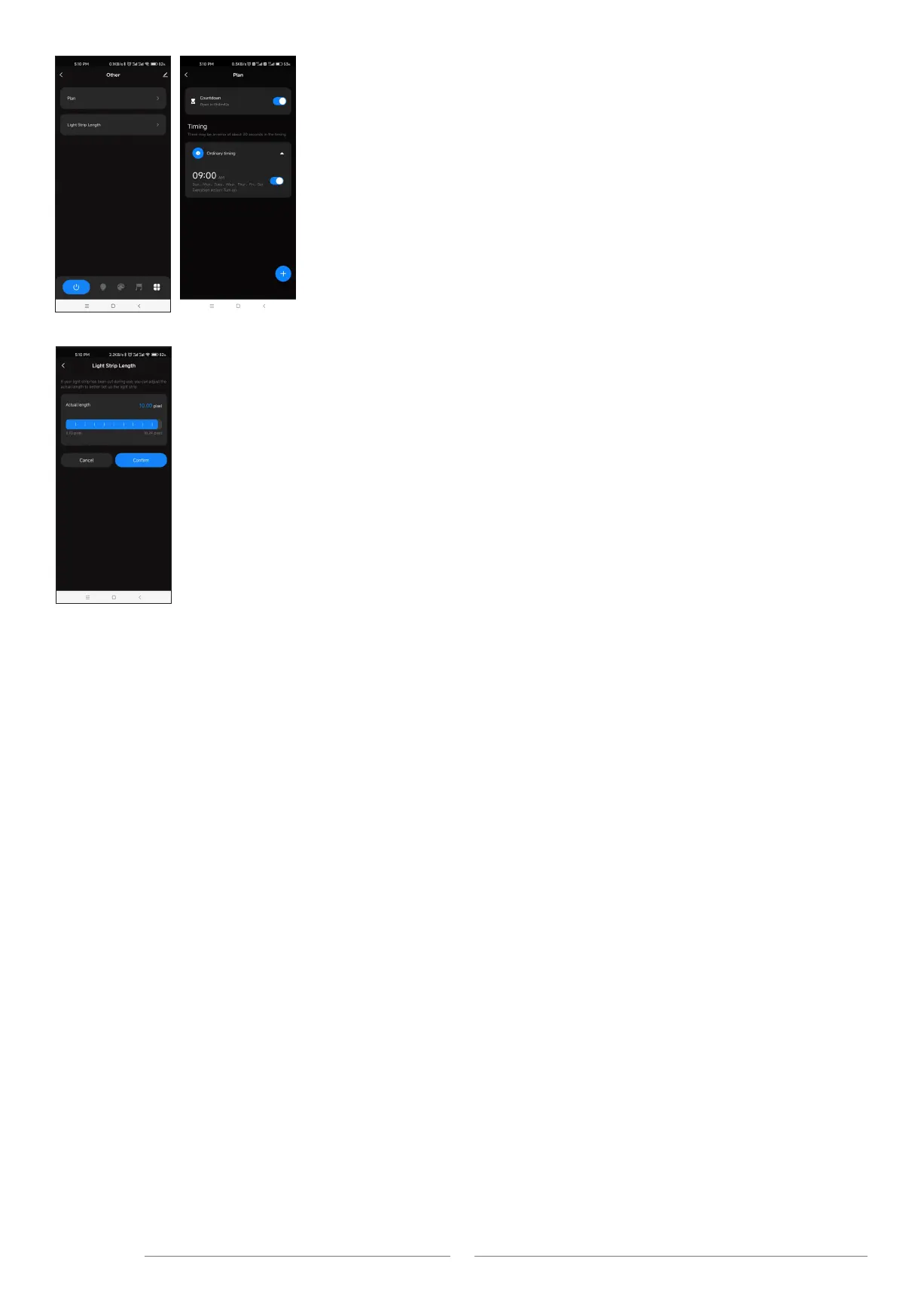
Light Strip Length interface
Strip length setting: Select the appropriate number of pixels according to the actual length of the strip, 10 -1000.
Notes.
1. In APP, a light strip is fixed with 20 segments,
Strip length (total number of pixel points) ÷ 20 segments = number of pixel points per segment.
2. The maximum length of the light strip is 1000 pixels, for example, a light strip of 5 meters long with 60 pixels per meter,
you can set the length to 300 pixels. The whole light strip is divided into 20 segments, each segment has 15 pixels.
3. When the light strip length is less than or equal to 20 pixels, for example, 10-20, each pixel sequentially corresponds to each
segment from the beginning.
4. When the light strip length is not an integer multiple of 20, the remainder of the strip will display the color of the last segment.
5. When the actual light strip length is not an integer multiple of 20, it is recommended to set the length longer and increase
the value to a multiple of 20.
6. When the set of the light strip length is less than the actual length, the back part of the light strip can not be controlled.
Plan interface
Countdown: Customize the countdown time (Max.24 hours) to perform the on/off action.
Timer: Customize multiple times (days of the week) to perform the on/off light action.


 To Previous Page
 Loading...