Need help?
Do you have a question about the Tview T206IR and is the answer not in the manual?
Monitor must not be viewed by the driver and must not distract driving.
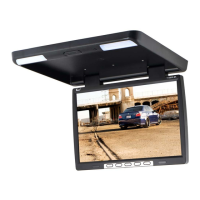
Button to turn the monitor on and off.
Accesses OSD menu for brightness, contrast, language, source, and reset.
Controls for menu adjustments, video input selection (V1/V2), and image aspect ratio.
Press this button to release the monitor from its mount.
Integrated light for illumination.
Detailed description of each button function on the remote control.
Instructions for proper battery replacement and handling.
Choosing a safe location and connecting IR, A/V, and power cables.
Securing the mounting bracket and attaching the monitor.
General safety guidelines and connecting the positive and negative wires.
Ensuring secure ground connection and connecting video/audio input cables.
 General
| Brand | Tview |
|---|---|
| Model | T206IR |
| Category | Car Video System |
| Language | English |


 To Next Page