
 Need help?
Do you have a question about the TVIP S-Box v.410 and is the answer not in the manual?
Details the features and capabilities of the TVIP Mediacenter, including IPTV support, connectivity, and recording functions.
Recommends professional setup by technical specialists for optimal and safe use of all Mediacenter functions.
Provides essential guidelines on product handling, placement, and power supply usage to prevent damage and ensure safety.
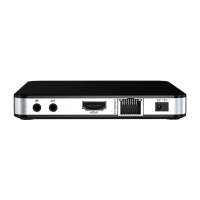
Explains how to connect the Mediacenter to a TV using HDMI and other peripherals for optimal audio-visual experience.
Details the functions of each button on the TVIP remote control, covering power, navigation, settings, and media playback.
Step-by-step instructions for programming the remote control to operate other devices, including saving new settings.
 General
| Brand | TVIP |
|---|---|
| Model | S-Box v.410 |
| Category | Set-top boxes |
| Language | English |

 To Next Page