Chapter 7. Built-in control panel
2. In the menu follow the Settings → Communication → RS485 than:
- Set modbus address to: 12
- Set baud rate to: 38400
Fig. 7.19. Menu „Comm”
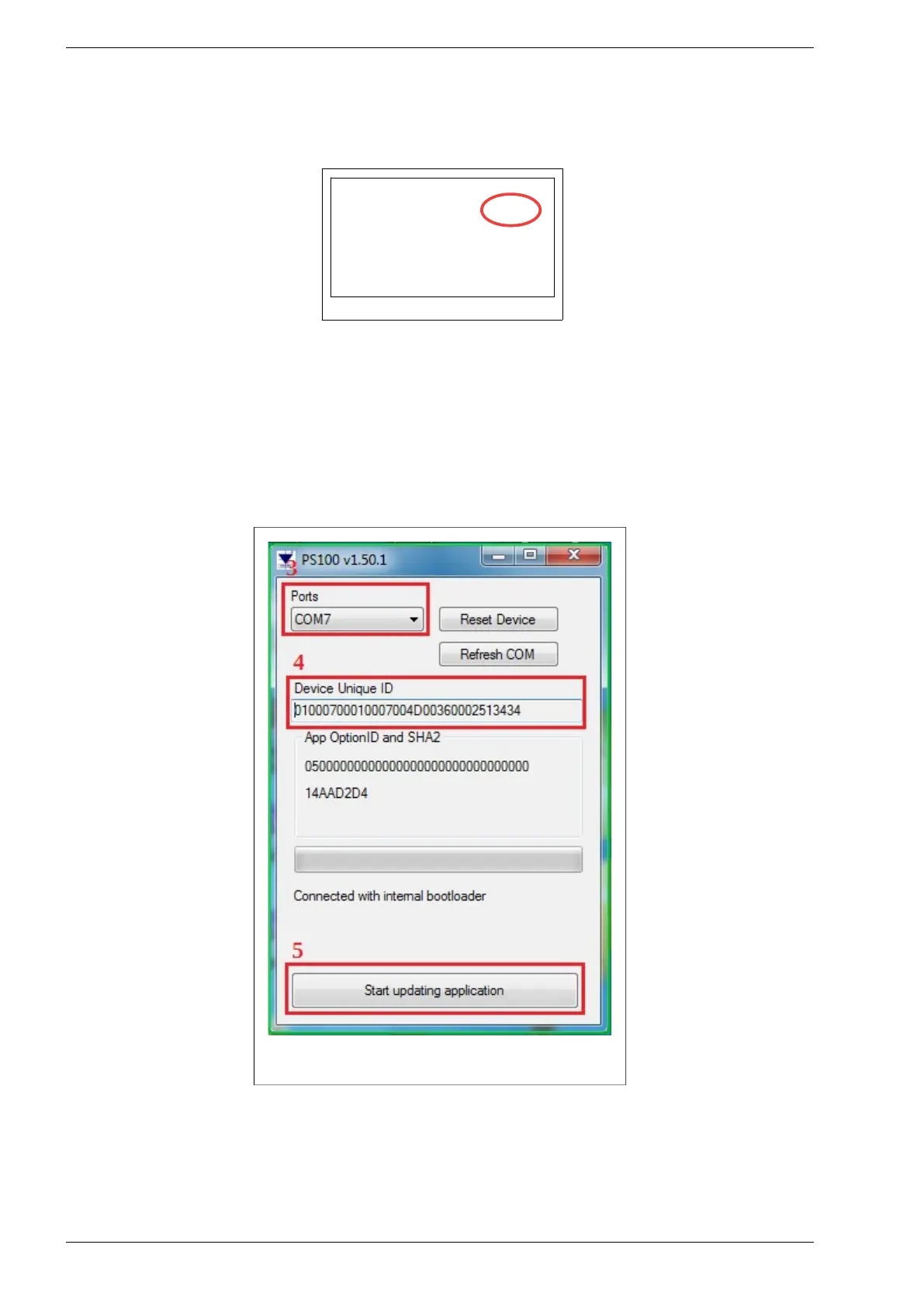
3. Start the PS100 program. COM ports will be automatically detected.
4. The program will search for the connected inverter and display its ID number.
5. Select the "Start updating application" button - the new software upload process will start.
6. The software update process takes about 3 minutes. After it finishes, it will restart.
Note: If the program stops responding, close the program and restart it.
Fig. 7.20. View of the PS100 program window


 To Next Page