Twist iPad Holder Setup Instructions
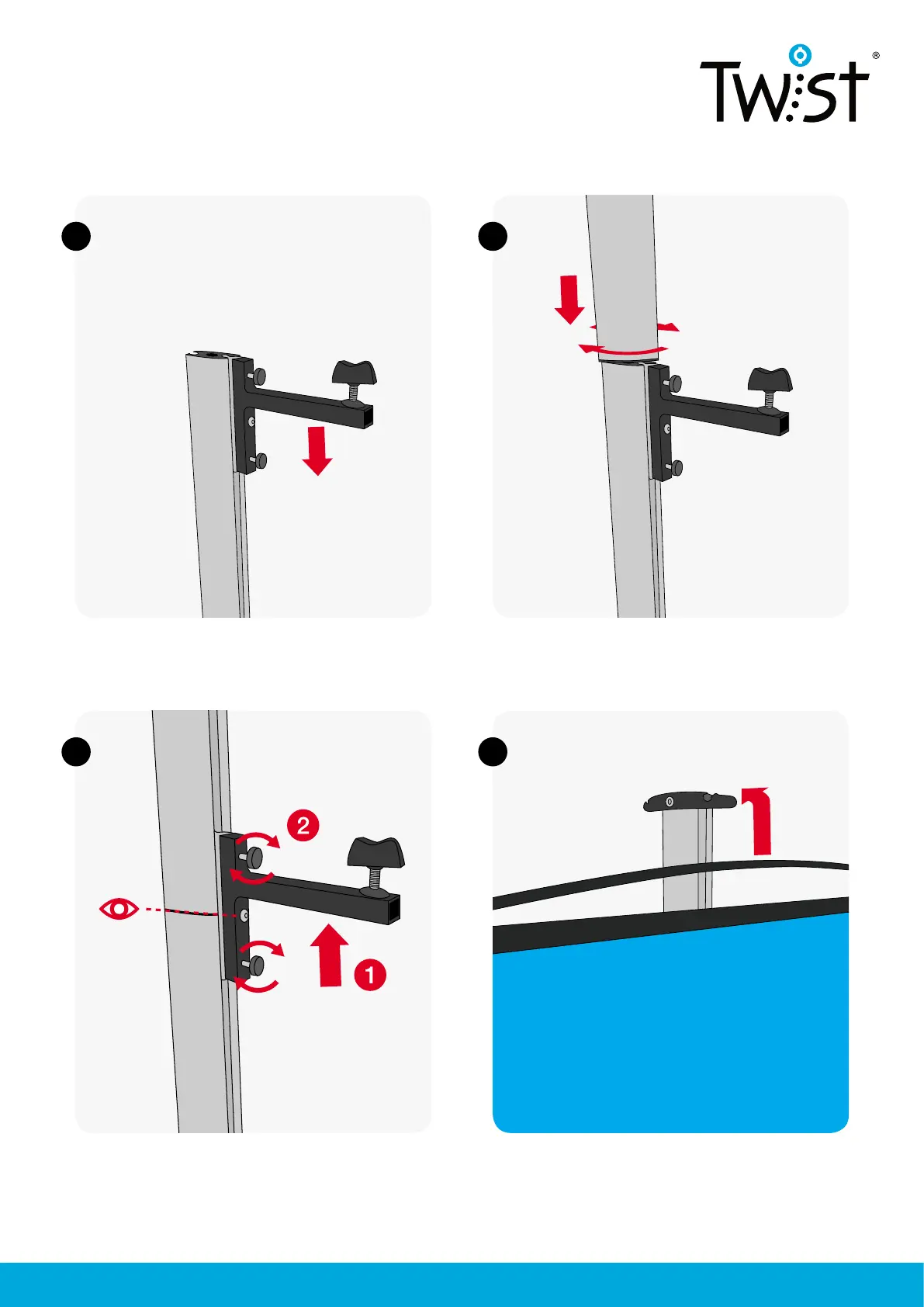
Hang the graphic.
3
3
2
2
Insert iPad arm into the middle TWIST extrusion.
Loosely tighten one of the screws to stop it falling
down the complete extrusion.
Attach top Twist extrusion.
1. Position the arm so that the bolt aligns with the
join of the two Twist extrusions.
2. Tighten the screws to lock it into place.



 To Next Page