6
10
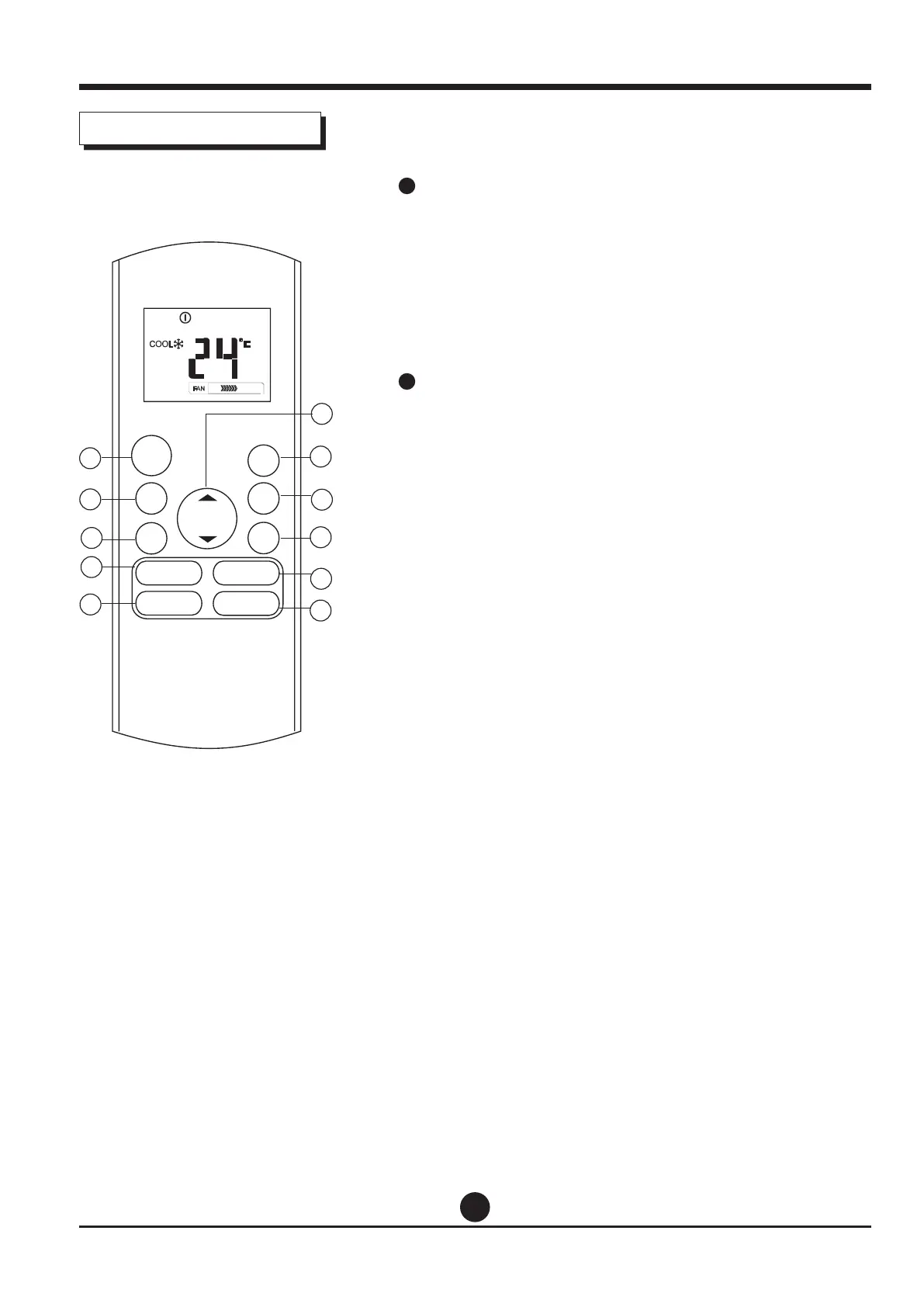
SWING Button
Used to stop or start horizontal louver auto swing
feature.
DIRECT Button
Used to change the louver movement and set the
desired up/down air ow direction.
The louver changes 6° in angle for each press.
11
LED Button
Disable/Active indoor screen Display. When pushing
the button, the indoor screen display is cleared, press
it again to light the display.
Operation of buttons
MODE
FAN
TEMP
LED
TURBO
ON/OFF
SHOR T
CUT
TIME R
ON
TIMER
OFF
1
2
4
3
8
9
5
10
11
7
6
SWING DIRECT
SLEEP
FRESH


 To Next Page