5
Operation of buttons
6
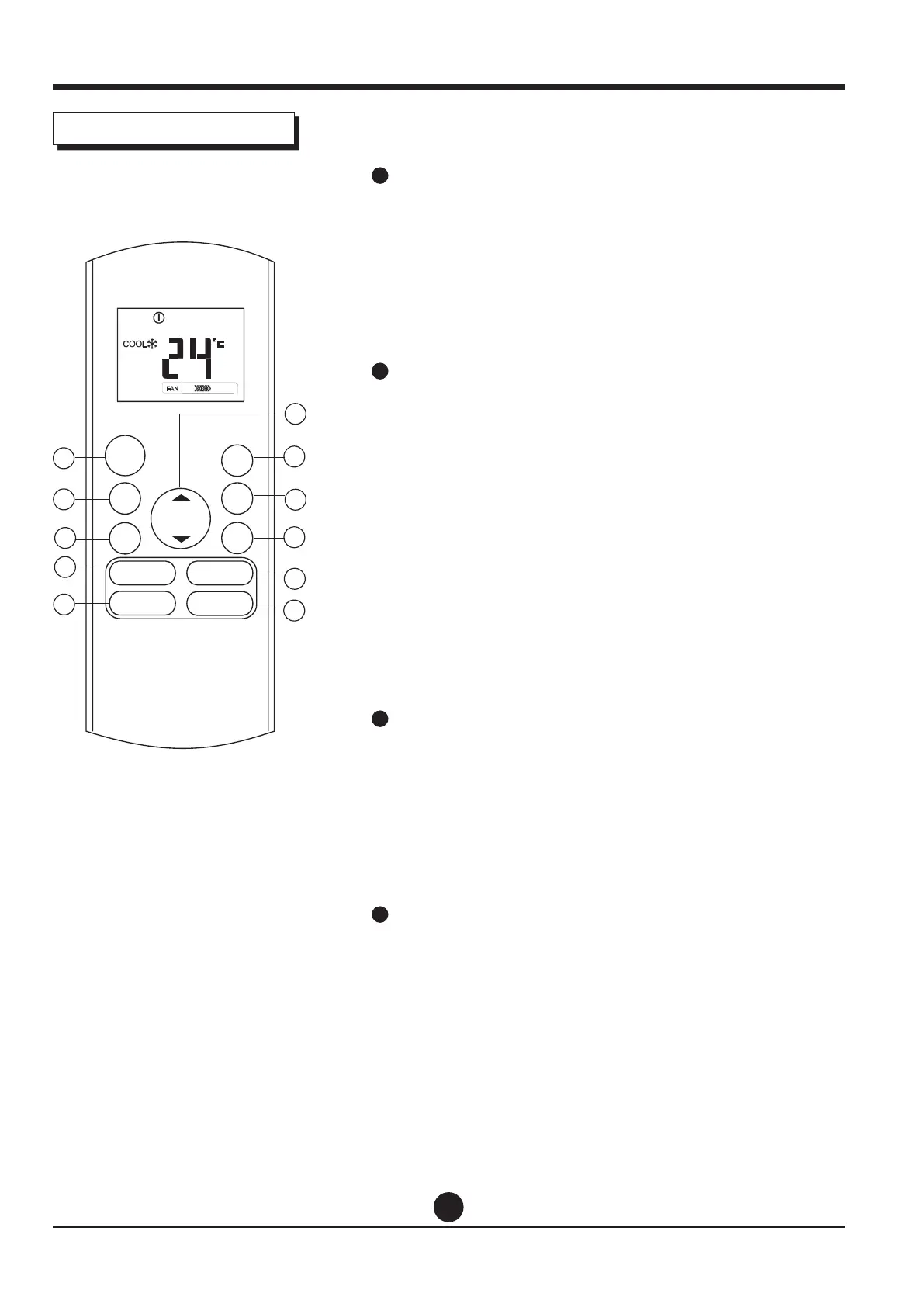
UP Button(
p
)
Push this button to increase the indoor temperature
setting in 1°C increments to 30°C.
DOWN Button(
q
)
Push this button to decrease the indoor temperature
setting in 1°C increments to 17°C.
NOTE: Temperature contol is not available in Fan mode.
7
SHORTCUT Button
• Used to restore the current settings or resume
previous settings.
• On the rst time connecting to the power, if push
the SHORTCUT button, the unit will operate on AUTO
mode, 26°C, and fan speed is Auto.
• Push this button when remote controller is on,
the system will automatically revert back to the
previous settings including operating mode, setting
temperature, fan speed level and sleep feature(if
activated).
• If pushing more than 2 seconds, the system will
automatically restore the current operation settings
including operating mode, setting temperature, fan
speed level and sleep feature (if activated ).
8
TIMER ON Button
Press this button to initiate the auto-on time
sequence. Each press will increase the auto-timed
setting in 30 minutes increments. When the setting
time displays 10.0, each press will increase the auto-
timed setting 60 minutes increments.
To cancel the auto-timed program, simply adjust the
auto-on time to 0.0.
9
TIMER OFF Button
Press this button to initiate the auto-o time
sequence. Each press will increase the auto -timed
setting in 30 minutes increments.
When the setting time displays 10.0, each press
will increase the auto-timed setting 60 minutes
increments. To cancel the auto- timed program, simply
adjust the auto-o time to 0.0
MODE
FAN
TEMP
LED
TURBO
ON/OFF
SHOR T
CUT
TIME R
ON
TIMER
OFF
1
2
4
3
8
9
5
10
11
7
6
SWING DIRECT
SLEEP
FRESH


 To Next Page