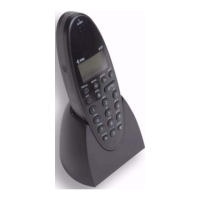
3.LOCALOFFSITE MODE/OFFSITE DIALSEQUENCE
3.1USINGTHELOCALOFFSITEMODE
Liftthereceiveronanystandardtelephone(musthaveDTMFdial)orpresstheLinekeyonamobiletelephone.Dialthetelephonenumberforthesite,whenthe
Adventxtsystemanswerstwotoneswillbeheard,afterthesecondtonepressthe#keyonce.Waitforthe“Ready”
prompt,youmaynowusethesystemasyou
wouldinonsitemode.Whencalliscompletepressthe#keyonce.Afterthe“Ready”promptpressthe#keyagain,twotoneswillbeheardandphonelinewillbe
dropped.LocalOffsitemodecanbeenabled/disabledusingcode5007
andusingthe#keytotogglebetweenenabled/disabled.
3.2SETTINGTHEOFFSITEDIALSEQUENCE
TheAdventxtsystemcanstoreupto6LocalOffsiteand3RemoteOffsitetelephonenumbersandtheorderinwhich theyaredialled canbechanged.Pressthe
Linekey,enter81andlisten
forthe“Ready”prompt.Enter4007andthecurrentdialsequencewillbeannounced;presstheLinekeytoaccept,orenteranew
sequencefollowedbythekey,orpressthe#keytodisable/re‐enablethesequence.PresstheLinekeytocleartheconnection.
4.ACTIVITYMONITORING/INTRUDERMODE
4.1SETTINGACTIVITYMONITORINGPERIODS
Upto3activitymonitoringperiodscanbesetperday‐flatswithnoactivitywillbereportedattheendofeachperiod.PresstheLinekey,enter81andlistenfor
the“Ready”prompt.Enter2002andthecurrentperiod1starttime
willbeannounced.PresstheLinekeytoaccept,orenteranewtime(24hr)followedbythe
key,orpressthe#keyfollowedbythekeytodisable.PresstheLinekeytocleartheconnection.Repeatfortheperiod1stoptimeusingthecode2003
.
Usecodes2004/2006forperiod2/3starttimesandcodes2005/2007forperiods2/3stoptimes.Notestart/stoptimesmustbewithinthesameday.
4.2ENABLE/DISABLEACTIVITYMONITORING
Unoccupiedflatscanhaveactivitymonitoringdisabledtopreventinactivitycallsbeingreportedattheendofeachperiodeachday.PresstheLinekey,enter81
andlistenforthe“Ready”prompt.Enter3000thenentertheflatnumbertobedisabledfollowedbythekey,pressthe
Linekeytocleartheconnection.To
re‐enableactivitymonitoringenter3001thenentertheflatnumbertobeenabledfollowedbythekey.PresstheLinekeytocleartheconnection.All
disabledflatscanbelistedusingthecode3002,alldisabledflatscanbere
‐enabledusingthecode3003.
4.3ENABLE/DISABLEINTRUDERMODE
Individualflatscanhavetheactivitymonitoringmodetemporarilychangedtoanintruderalarmmodewhentheflatisvacantor theresidentisaway.Pressthe
Linekey,enter81andlistenforthe“Ready”prompt.Enter3007thenentertheflatnumbertohaveintrudermodeenabledfollowed
bythekey,pressthe
Linekeytocleartheconnection.Toresetintrudermodebacktoactivitymonitoringenter3008thenentertheflatnumbertoberesetfollowedbythekey.
PresstheLinekeytocleartheconnection.Allflatswithintrudermodeenabledcanbe
listedusingcode3009.
5.RADIODEVICES/MESSAGESERVICE/I’MOKFUNCTION
5.1ADDING/DELETINGRADIODEVICES
PersonalpendantsoranyotherradiotriggerdevicesfromtheAltecrangecanbeallocatedtoanyflat.ToaddanewdevicepresstheLinekey,enter81andwait
forthe“Ready”prompt.Enter5000thenentertheflatnumberthedeviceisbeingallocatedtofollowedby
thekey.Activatetheradiodeviceandwaitfor
the“EnterLocationCode”prompt,entera2digitLocationCode
=
followedbythekey.Waitforthe“PendantEnabled‐EnterFlat”prompt,enterthenextflat
numbertohaveadeviceaddedorpressthe#keyfollowedbytheLinekeytocleartheconnection.Toremoveasingleradiodevicefromaflatusethecode
5001,
toremoveALLdevicesfromaflatusethecode5002.
=
SeetheAdventxtOperatorsManual(DocNo.FM0420)foralistofLocationCodes.
5.2USINGTHEMESSAGESERVICE
TheAdventxthasthefacilitytoleavearecordedmessageforaresidentwhentheyreturntotheirflat.PresstheLinekey,enter81andlistenforthe“Ready”
prompt.Enter7000thenentertheflatnumbertoleaveamessageforfollowedbythekey,leave
amessageaftertheprompt(max10secs).Pressthe#key
followedLinekeytocleartheconnection.Thelightontheresidentsintercomwillflashblueandaseriesoftoneswillsoundevery60secondsuntilthemessageis
played.Tocheckwhichflatshaveunansweredmessagesuse
thecode7001.Todeleteamessageusethecode7002thenentertheflatnumberfollowedby
thekey,waitforthe“Ready”promptthenpresstheLinekeytocleartheconnection.Todeleteallunansweredmessagesusethecode7003.
5.3USINGTHE“I’MOK”
FUNCTION
ReisdentscanletyouknowiftheyareOKeachmorningbypressingthe#buttonontheirintercomwhenthelightisflashinggreen.PresstheLinekey,enter81
andlistenforthe“Ready”prompt.Enter2010andtheI’mOKstarttimewillbeannounced.Press
theLinekeytoaccept,orenteranewtime(24hr)followedby
thekey,orpressthe#keyfollowedbythekeytodisable.PresstheLinekeytocleartheconnection.Setthestoptimeusingthecode2011.Usecode
2012toenablethe
featureinallflatsor2016forindividualflats.Usecode3010tolist and call theflats thathavenotresponded“I’mOK”eachday.
6.DOORENTRYFEATURES
6.1SETTINGDOORENTRYCALLTRANSFERS
TheAdventxtsystemhasthefacilitytotransferdoorentrycallsifaresidentisaway.PresstheLinekey,enter81andlistenforthe“Ready”prompt.Enter
8000thenentertheflatnumbertobetransferredFROMfollowedbythekey,entertheflatnumberthe
callsarebeingtransferredTOfollowedbythe
key.PresstheLinekeytocleartheconnection.Toreturntonormaloperationenter8001thenentertheflatnumbertoberesetfollowedbythekey.Press
theLinekeytocleartheconnection.Allflatswithcallstransferred
canbelistedusingthecode8002.Allcalltransferscanbeclearedusingthecode8003.
6.2ENABLE/DISABLE24HOURDOORENTRYCALLS
IftheAdventxtsystemhasdoorentrycallsdisabledduringtheevening/nightflatscanbere‐enabledifrequired.PresstheLinekey,enter81andlistenforthe
“Ready”prompt.Enter8004thenentertheflatnumbertohave24hourdoorentrycallsenabledfollowedbythe
key.PresstheLinekeytoclearthe
connection.Todisable24hourdoorentrycallsenter8005thenentertheflatnumbertohave24hourcallsdisabledfollowedbythekey.PresstheLinekey
tocleartheconnection.Allflatswith24hourdoorentrycalls
enabledcanbelistedusing8006.Allflatscanhave24hourcallsdisabledusing8007.
6.3CHECKINGDOORENTRYPRIVACY/FAULTS
Ifaresidenthasprivacymodeselectedontheirdoorentrytelephonetheywillnotreceiveanyvisitorscalls.PresstheLinekey,enter81andlistenforthe
“Ready”prompt.Enter8008andtheflatnumberswithdoorentrytelephonesinprivacymodewillbelisted.PresstheLine
keytocleartheconnection.Any
flatswithdoorentrytelephonefaultscanbelistedusingthecode8009.AnyfaultsshouldbereportedtoyourServiceEngineer.
18October2011 FM0421issueGPage3


 To Next Page
 Loading...