Need help?
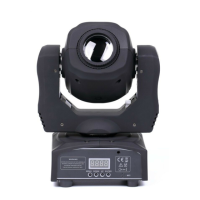
Do you have a question about the U'King ZQ-B345 and is the answer not in the manual?
Configure DMX address (DMX-17/DMX-11) and DMX channel (Ch17/Ch11) for lighting control.
Set function modes: Auto1, Auto2, Auto3, and Sound Control for lighting operation.
Perform tests on X motor, Y motor, rotation motor, color motor, and LED.
Configure advanced settings like X/Y phase, counting scale, and X tune correction.
Control X motor, Y motor, and X/Y running speed from fast to slow.
Utilize color wheel positions (White, Yellow, Blue, Purple) and motor control.
Manage lens wheel positions and rotation speed (dextroversion, left-handed).
Control strobe effects and master dimmer functions for lighting.
Adjust LED dimming for four channels and control function speed.
Control X/Y motors, fine tuning, and color wheel positioning/motor.
Manage lens wheel positions, rotation, and X/Y running speed.
Utilize strobe effects, running patterns, and sound control functions.
Control dimming for LED 1, LED 2, LED 3, and LED 4.
Set function speed and perform a reset function.
 General
| Brand | U'King |
|---|---|
| Model | ZQ-B345 |
| Category | DJ Equipment |
| Language | English |

 To Next Page