PAGE 4 OF 36 0319 IH-5836
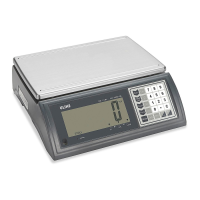
KEYPAD PARTS
# DESCRIPTION
4 UNIT / ESC Key
6 PCS / SET Key
8 G/N Key
10 ACC/TTL Print Key
12 TARE Key
13 ZERO Key
15 ON/OFF Key
OVERVIEW OF CONTROLS
DISPLAY AND KEYPAD DEFINITIONS
# NAME DESCRIPTION
1 DISPLAY
Displays the total weight, unit weight and
number of counted items.
2 CHARGE
Charging indicator. Indicates the battery
charging status.
3
Battery indicator. Indicates battery is low and
needs to be recharged.
4
UNIT
ESC
Units key. Used to change weighing unit.
ESC key. Used to exit the set-up menu.
5 STABLE
Stable indicator. Indicates the scale weight is
stable.
6
PCS
Count key. Used to enter the counting operation.
SET Setup menu key. Used to enter setup menu.
7 ZERO Zero indicator. Indicates the scale is at zero.
8
G / N
t
Gross/Net Weight key. Used to show the net or
gross weight.
Left arrow key. Used to move the active digit
to the left.
9 GROSS
Gross indicator. Indicates scale is displaying
the gross weight.
10
ACC / TTL Print
u
Accumulation key. Used to enter and show
accumulated weights or counts in memory.
Print key. Used to send data to a printer or PC.
Right arrow key. Used to move the active digit
to the right.
DISPLAY AND KEYPAD
# NAME DESCRIPTION
11 NET
Net indicator. Indicates scale is displaying the
net weight.
12
TARE
p
Tare key. Used to zero out the weight of a
container being used to hold small parts.
Value increment key. Used to change the
active digit value.
13
ZERO
Zero key. Used to clear and zero the display.
Enter key. Used to enter the selected menu,
sub-menu and setting.
14
CURRENT
WEIGHT
Current weight indicator. Indicates current
weight in accumulation mode.
15 ON / OFF On/off key. Used to turn the scale on or off.
16 TOTAL WEIGHT
Total weight indicator. Indicates total weight in
accumulation mode.
17 HI / OK / LOW
Limits indicator. Indicates the high-low limits in
weighing and counting.
18 LB / OZ / KG
Weighing unit indicator. Indicates current
weighing unit.
19 AUTO
Automatic accumulation indicator. Indicates
the scale is in automatic accumulation mode.
20 HOLD
Hold indicator. Indicates the scale is in
dynamic weighing mode.
21 PCS%
Counting mode indicator. Indicates scale is in
counting mode.
1
The Counting Feature
is Not Legal for Trade
kg
PCS%
HOLD
AUTO
OZM+
l
STABLE ZERO GROSS NET TARE
HI
OK
LOW
CAL
Current Weight
Total Weight
17
18
3
2
19
20
21



 To Next Page
 Loading...