Accessing airOS via Wi‑Fi
Verify connectivity in the airOS Configuration
Interface. There are two methods, the UNMS
™
App
and Web Portal. Both are available for 15minutes
immediately after you power on the device. If
necessary, you can power cycle the Bullet AC to
re‑enable its Wi‑Fi.
Proceed to the appropriate instructions:
UNMS App
1. Download the UNMS
app from the AppStore
(iOS) or Google Play
™
(Android).
2. Connect your device’s Wi‑Fi to the Bullet AC SSID
named: B-DB-AC:<MAC Address>
Note: Ensure that DHCP is enabled
on your Wi‑Fiadapter.
3. Launch the app.
4. Tap the Bullet AC on the Connections screen.
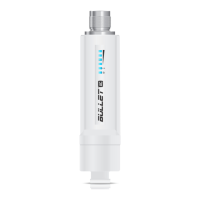
Bullet AC
BDBAC
192.168.172.1
:F08FC2552017


 To Next Page
 Loading...