4
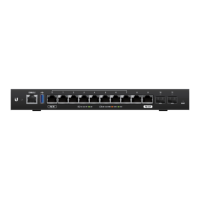
EdgeRouter
™
Lite Quick Start Guide
Hardware Installation
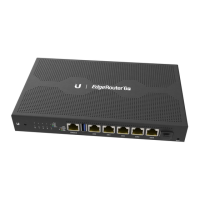
Mount the EdgeRouter Lite on a wall or place it on a bench top.
Note: Keep 20 mm of clearance next to the ventilation
holes for adequate airflow.
Cabling Requirements
• For indoor applications, use Category 5 (or above) UTP cabling
approved for indoor use.
• For outdoor applications, shielded Category 5 (or above) cabling
should be used for all wired Ethernet connections and should
be grounded through the AC ground of the power supply.
We recommend that you protect your outdoor networks from
the most brutal environments and devastating ESD attacks
with industrial-grade shielded Ethernet cable from Ubiquiti
Networks
™
. For more details, visit www.ubnt.com/toughcable
Note: Although the cabling can be located outdoors,
the EdgeRouter Lite itself should be housed inside a
protective enclosure.
Wall-Mounting
To mount the EdgeRouter Lite on a wall, you will need a drill, a
6mm drill bit, and a Phillips screwdriver.
1. Use a 6 mm drill bit to drill two holes 100 mm apart. (You can
use the template on page 16 to mark the holes.)
2. Insert the M2.9 Anchors into the holes. Use a Phillips screwdriver
to secure a M2.9x20 Screw to each anchor. Leave a clearance of
approximately 3 mm between each screw head and its anchor.
3 mm
Note: You can also mount the EdgeRouter
Lite in a vertical orientation.



 To Next Page
 Loading...