Ports
Main*
Port
Secondary
Port
Reset
Button
Main/LAN 10/100 Ethernet port used to connect the power
and should be connected to the LAN and DHCP server.
Secondary (NanoStationM2/M3/M5 only) 10/100 Ethernet
port used for bridging and supports software‑configurable
PoE passthrough.
Note: In order to use PoE passthrough on the Secondary
port, a 24V, 1A PoE adapter is required.
Reset Button To reset to factory defaults, press and hold the
Reset button for more than 10 seconds while the NanoStation
is poweredon. Alternatively, a remote reset button is located
on the bottom of the PoE Adapter.
RESET
Switching Gigabit Power Supply / PoE
Reset
Button
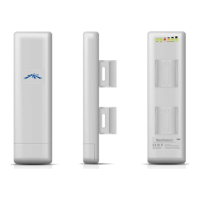
* Main is labeled LAN on the NanoStationlocoM2/M5.
*640-00210-05*
640-00210-05



 To Next Page
 Loading...