25
Chapter 5: Phone ScreenUniFi® VoIP Phone User Guide
Ubiquiti Networks, Inc.
Chapter 5: Phone Screen
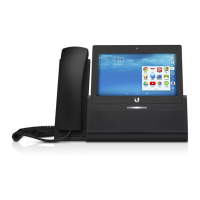
Pressing the Phone icon on the Home screen brings
up the Phone screen. This screen displays your name and
phone externsion, as well as icons that allow you to place
a call, access your contact list, view recent call activity, and
check your voice mail.
The Phone screen for the UVP-Executive is shown above.
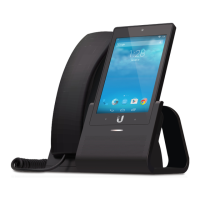
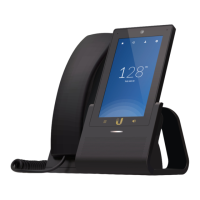
The Phone screens for the UVP and UVP-Pro are shown
below.
UVP, UVP-Pro
Phone Screen Icons
The Phone screen icons are:
Icon Description
Keypad Displays the dialer screen that lets you
make calls.
Contacts Displays the contact list so that lets
you look up names and phone numbers.
Voicemail Displays the voicemail screen where
you can access your voice messages.
Recent Displays a list of all recent calls.
Settings Press to display or edit the phone’s SIP
settings.
Do Not Disturb Press to disable the phone’s
ringer and force all incoming calls to roll over to
voice mail.
Quit Press to exit the Phone screen and return to
the Home screen.


 To Next Page
 Loading...