VOICE TEXT REPLY
VOICE
TEXT REPLY
VOICE RECOGNITION QUICK TIPS
Uconnect will announce incoming text messages. Push the Phone
button and say "Listen." (Must have compatible mobile phone
paired to Uconnect system.)
1. Once an incoming text message is read to you, push
the Phone button and after the beep, say “Reply.”
2. Listen to the Uconnect prompts. After the beep,
repeat one of the pre-dened messages and follow
the system prompts.
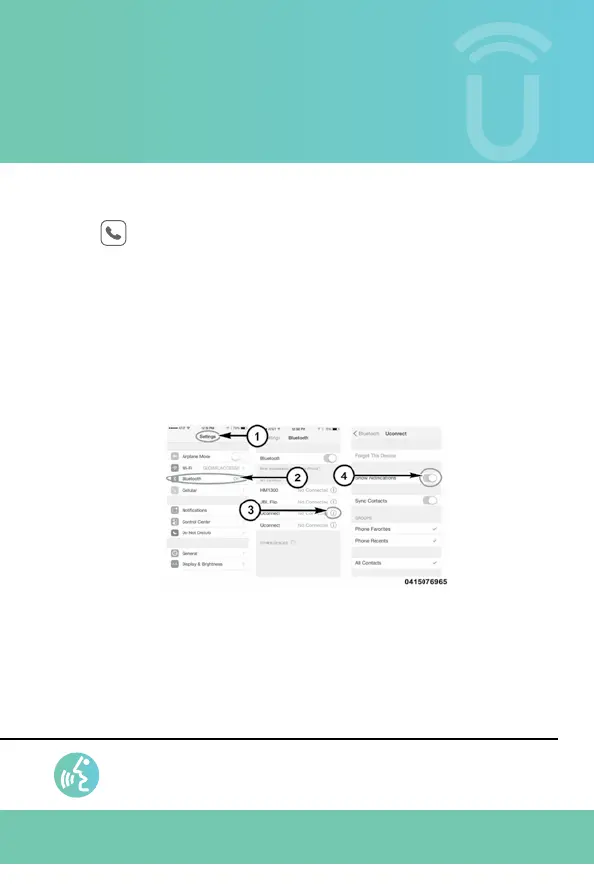
1. Select “Settings.”
2. Select “Bluetooth.”
3. Select the (i) for the paired vehicle.
4. Turn on “Show Notications.”
2943492_18a_Uconnect_All_Brand_4C_4C_NAV_8_4_in_Voice_Rec_Tips_060617.indd 16 6/6/17 12:41 PM



 To Next Page