-3- SCREEN PP45
4/29
Pitch. Access to advance counter screen.
Panel. Access to panel zone parameters. In this zone you can change product or
language and access output or manual screens.
Functions. Fast access to the most used parameters.
All the screens include the parameter:
Product number. You can store up to 50 products to which different times, activations,
etc. are associated.
Also in the upper part of the screen you can view the current product number
and name, and the machine´s current status. The different machine alarms can
be viewed by pressing
and the different production speeds can also be
selected by pressing the “set” parameter. The parameter “Cycles/min” shows
the machine´s real speed.
In the “Vacuum” parameter is possible to view welding mould pressure in
millibars.
From any screen, to return to the main menu press “MENU”.
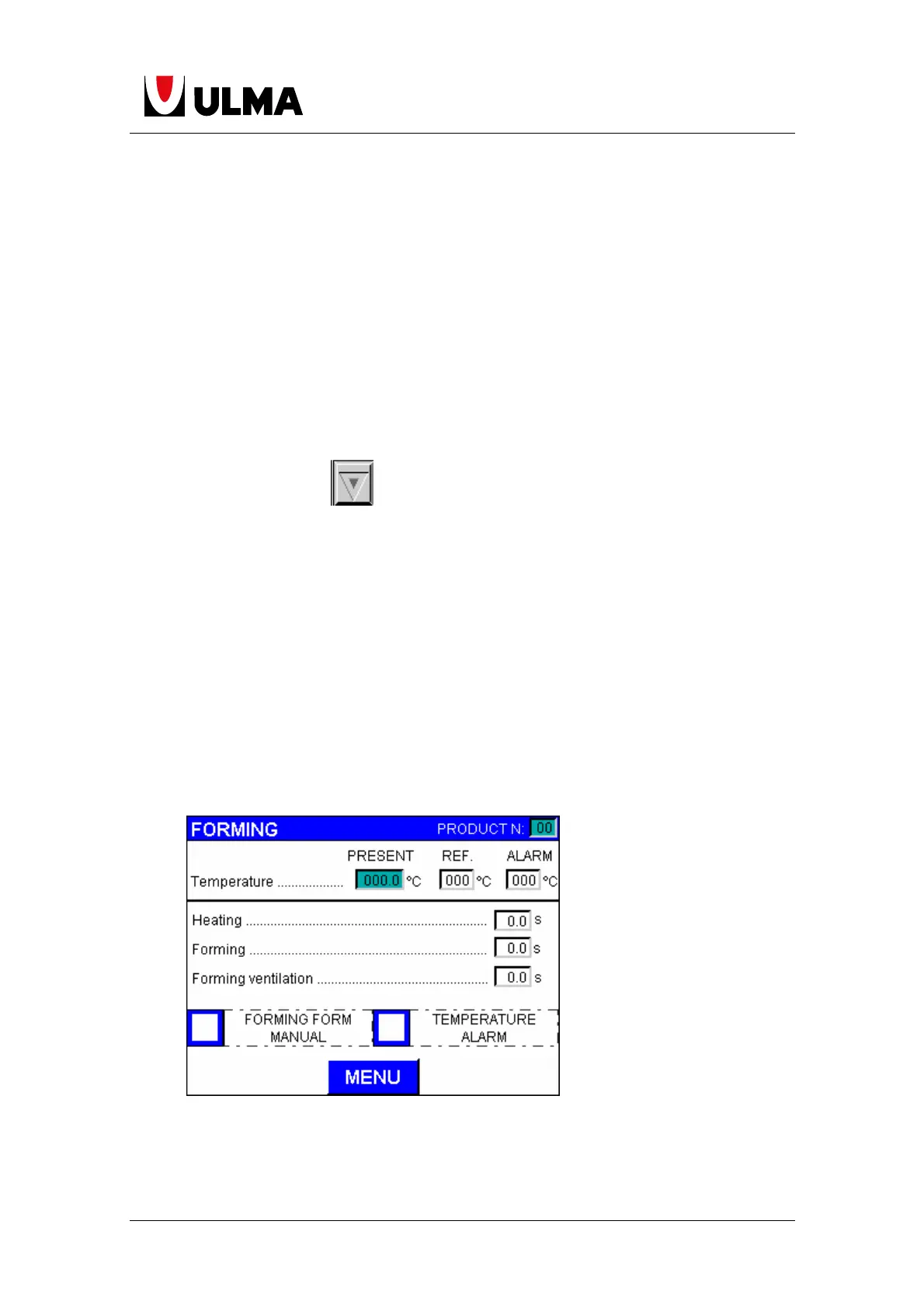
1.3 FORMING
You can use this screen to change the default settings for the temperature and
alarms, and display the temperature for the forming area.


 To Next Page