-3- SCREEN PP45
17/29
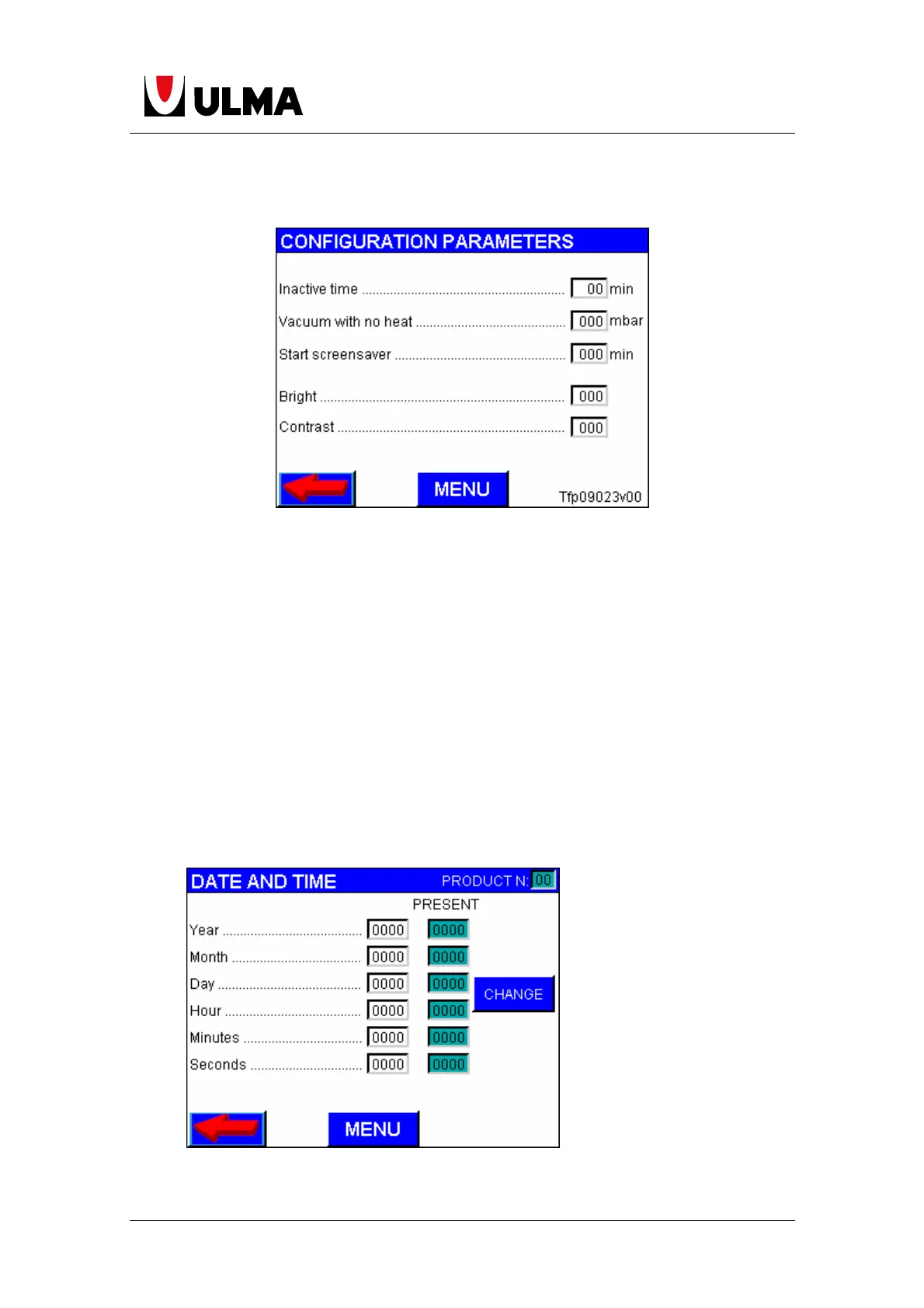
1.10.6 PARAMETERS
On this page we have the following parameters:
Inactive time. If the the screen isn’t touched at here scheduled time the program
change to the level of user. If we don’t want change to a default user level set at
value 0.
Vacuum with no heat. It is the vacuum level at which cut orders to heat the sealing
mould, if the optional is activated.
Start screensaver. After the scheduled time, without touching the screen, start
screensaver mode and appears Ulma logo moving across the screen.
Bright. With this parameter can change the screen brightness by introducing a value of
0 to 100. 0 brightness minimum and 100 maximum brightness.
Contrast. With this parameter can change the screen contrast by introducing a value
of 0 to 100. 0 contrast minimum and 100 maximum contrast.
1.10.7 DATE AND TIME
In this page can change the date and time of the internal clock of the PC.


 To Next Page