EasyManua.ls Logo

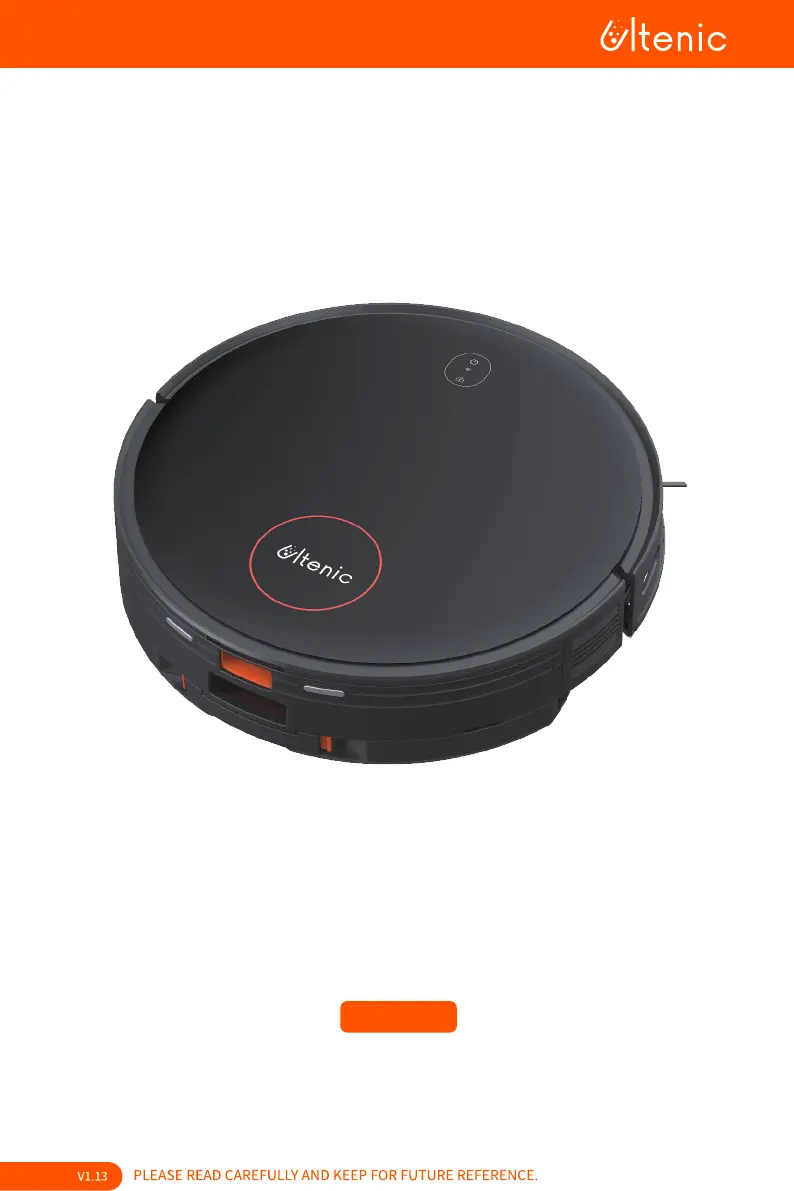
Ultenic D6S - User Manual

Ultenic D6S
43 pages
Print Icon
To Next Page IconTo Next Page
Loading...



Questions and Answers

  • G
    Glen RiosAug 20, 2025
    What to do if my Ultenic D6S cannot recharge?
    • D
      dburnsAug 21, 2025
      If your Ultenic Kitchen Appliance isn't recharging, consider these possible reasons: * Obstacles near the charging station: Ensure the charging dock has 2 feet of clear space on the sides and 5 feet in front. * Power cord not connected: Verify the charging station is properly connected to a power source, checking the indicator light. * Over-discharge of the battery: If the battery has been inactive for a long period and won't charge, please contact after-sales support. * Out of charging dock range: Move the main unit closer to the charging dock to re-establish the connection.
  • B
    Brian GilmoreAug 26, 2025
    Why does my Ultenic D6S Kitchen Appliances keep bumping into objects?
    • C
      Charles JonesAug 26, 2025
      If your Ultenic Kitchen Appliance keeps bumping into objects, it might be due to: * Dirty infrared obstacle avoidance sensor lenses: Periodically wipe the sensors with a dry cloth. * Stuck front wheels: Regularly check the front wheel for entangled hair, wool, and other small objects.
  • S
    stewartcarlaAug 28, 2025
    Why is my Ultenic D6S Kitchen Appliances cleaning ability decreased?
    • F
      Fernando MeyerAug 28, 2025
      If you notice decreased cleaning ability or dust shedding from the dust box of your Ultenic Kitchen Appliance, it could be due to: * Full dust box: Check if the dust box is full before checking and cleaning the HEPA filter and the roller brush. * Clogged HEPA filter. * Obstructed roller brush.
  • J
    justin70Aug 30, 2025
    What does it mean when the red light flashes on my Ultenic D6S Kitchen Appliances?
    • J
      John McintyreAug 30, 2025
      If the red light flashes on your Ultenic Kitchen Appliance during operation: * Abnormal prompt sound from the device: Handle according to the unit’s voice and app prompts. * Entangled brushes or blocked components: Regularly clean and maintain side brushes, roller brushes, dust boxes, and filter materials.
  • M
    Madeline ClarkSep 2, 2025
    What to do if my Ultenic Kitchen Appliances becomes stuck?
    • M
      Michelle WarrenSep 2, 2025
      If your Ultenic Kitchen Appliance gets stuck while operating: * Entanglement with wires or obstructions: The main unit will try to disengage itself. If it fails, manually untangle it from wires, curtains, carpet fringe, etc. * Snagging on furniture: The main unit may snag on a nearby piece of furniture.
  • K
    Kimberly MooneySep 4, 2025
    Why can't I create a home map on the Ultenic D6S app?
    • J
      Jordan HowardSep 4, 2025
      If you cannot create a home map on the Ultenic Kitchen Appliances app: * The robot isn’t deploying from the charging station: The robot must start cleaning from the charging station. * Cannot complete automatic cleaning: Allow the robot to automatically return to the charging station after cleaning.
  • K
    Kelly RobbinsSep 7, 2025
    What causes sensor detection errors on my Ultenic Kitchen Appliances?
    • P
      Peter IngramSep 7, 2025
      If you are experiencing sensor detection errors or the sensor isn't functioning on your Ultenic Kitchen Appliance: * Dirty sensor lenses: Wipe the sensor lens with a clean soft cloth or remove any blocked objects. If the issue persists, contact after-sales support.
  • M
    Mr. Richard BlackburnSep 9, 2025
    What to do if Ultenic D6S drive wheels are entangled?
    • A
      Aaron WalshSep 9, 2025
      If the drive wheels of your Ultenic Kitchen Appliance are entangled: * Entanglement with foreign objects: Turn and press the drive wheel to check for any obstructions.
  • I
    iyoungSep 12, 2025
    Why won't the water tank release water in my Ultenic D6S Kitchen Appliances?
    • D
      Daniel JohnsonSep 12, 2025
      If the water tank of your Ultenic Kitchen Appliance cannot release water: * Blocked water outlet: Do not add other liquids such as disinfectant, perfume, etc., to the water tank.
  • B
    Barbara GutierrezSep 14, 2025
    Why does my Ultenic D6S Kitchen Appliances start automatically at night?
    • C
      Christopher EllisonSep 15, 2025
      If your Ultenic Kitchen Appliance starts automatically at night or in the middle of the night: * Scheduled cleaning function is set: Cancel scheduled cleaning sessions in the app.

Summary

Warnings

Safety Instructions and Warnings

Comprehensive safety guidelines and warnings for safe operation and handling of the device.

Usage Restrictions

Specific limitations and prohibited uses to ensure safe and proper operation of the robot.

Battery and Charging Safety

Precautions related to the device's battery and charging process to prevent hazards.

Inside the Box

Product Description

Robot Components

Detailed identification of parts and sensors on the robot's top and bottom surfaces.

2-in-1 Dust Box and Water Tank

Description of the integrated dust box and water tank assembly and its components.

Charging Station Components

Identification of parts and indicators on the charging station.

Robot Indicator Lights

Explanation of the status lights on the robot and their meanings.

Charging Station Indicator Light

Explanation of the indicator light on the charging station and its meaning.

Product Operation

Getting Started: Before Using

Initial setup steps including charging station placement and robot charging.

App Connection and Setup

Guide for downloading the app and establishing Wi-Fi and Bluetooth connectivity.

Operation via Robot Control Panel

Instructions on how to control the robot using its built-in buttons.

Operation via Remote Control

Instructions on using the remote control for robot operation.

Navigation and Recharge Controls

Explanation of navigation keys and the recharge function on the remote.

Mopping Module Operation

Steps and notes for operating the mopping function of the robot.

Cleaning Precautions

Important precautions to take during cleaning to prevent entanglement or damage.

Maintenance

Mopping Module Maintenance

Procedures for cleaning and maintaining the mopping module after use.

Dust Box and HEPA Filter Maintenance

Steps for cleaning and maintaining the dust box and HEPA filter.

Brush and Sensor Maintenance

Guidance on cleaning the main brush, side brush, and mapping sensors.

Other Parts Maintenance

Instructions for cleaning other external parts of the robot and charging station.

Maintenance Frequency Guide

Recommended intervals for cleaning and replacing robot parts.

Product Specifications

Troubleshooting

App Connectivity Issues

Solutions for problems related to connecting the robot to the mobile application.

Charging Problems

Troubleshooting steps for issues where the robot fails to recharge.

Robot Stuck Issues

Solutions for when the robot becomes entangled or stuck during operation.

Object Bumping Issues

Causes and solutions for the robot bumping into objects.

Indicator Light and Noise Issues

Troubleshooting for abnormal indicator lights and excessive operating noise.

Unorderly Cleaning and Navigation Issues

Solutions for erratic cleaning paths and navigation problems.

Cleaning Ability and Dust Issues

Troubleshooting for reduced cleaning performance or dust shedding.

Water Tank and Drive Wheel Issues

Solutions for water tank dispensing problems and drive wheel entanglement.

Sensor Functionality Issues

Steps to resolve issues related to sensor errors or malfunction.

App Mapping and Scheduling Issues

Solutions for problems with app-based mapping and scheduled cleaning.

Ultenic D6S Specifications

General IconGeneral
TypeRobot Vacuum Cleaner
Battery Capacity2600 mAh
Run TimeUp to 120 minutes
Dustbin Capacity600 ml
Charging Time4-5 hours
Water Tank Capacity300 ml
Compatible Floor TypesHardwood, Tile, Carpet
ControlApp, Voice Control
FeaturesScheduled Cleaning
Noise Level65 dB
ConnectivityWi-Fi
NavigationLDS Laser Navigation

Related product manuals