In-Wall
Smart
Switch
51398
51407
51408
WFD4001
Wi-Fi
WARNING — SHOCK HAZARD
INSTALL THE APP
Remotely operate your smart switch with the easy-to-use UltraPro app. Follow
the available instructions and resources to set up your smart device.
NOTE: If the LED is not flashing, ensure the air gap switch is flush with the paddle. Press the programming
button for five seconds to reset device and start the pairing process. If the LED is still not flashing, turn o
power at the circuit breaker or fuse box, remove switch and check wire connections.
Turn OFF the power to the branch circuit for the switch and lighting fixture at the service panel. All
wiring connections must be made with the power OFF to avoid personal injury and damage to the
switch. This device is intended for installation in accordance with the National Electric Code and local
regulations in the United States or the Canadian Electrical Code and local regulations in Canada. If you
are unsure or uncomfortable about performing this installation, consult a qualified electrician.
Scan the QR code above or search
UltraPro on the Apple App Store or on
Google Play.
Download the app
Wire the smart
switch following
the provided
instructions
Install the smart device
Create an account
in the UltraPro app
Add devices, control
the smart switch
from anywhere and
create schedules
Set up account
1 2
3 4
Compatible with Amazon
Alexa and Google Assistant
Follow the steps in the Amazon Alexa or
Google Assistant app to connect the UltraPro
app or select “Support” in the UltraPro app
Voice control
CHANGE PADDLE
SINGLE-SWITCH WIRING
This step is optional. Before installation,
you may want to change the paddle to
match your wallplate or décor.
1. Lift the air gap tab at the base of
the paddle.
2. Push the side tabs in on one side
followed by the other to release
paddle and lift it from the switch.
3. Insert the air gap and side tabs
and snap the new paddle into place.
1
2
REMOVE SINGLE-POLE SWITCH
3-WAY SWITCH WIRING
1. Connect green/bare wire to the GROUND terminal.
2. Connect the black wire from the light to either LINE/LOAD terminal.
3. Connect the black wire from the power source (hot) to the other LINE/LOAD terminal.
4. Connect the white wire to the NEUTRAL terminal – use jumper if necessary.
NOTE: The traveler terminal is only used for multi-switch wiring and is not used in a two-way system (one switch and one load).
5. Secure the Wi-Fi switch into the switch box with the provided mounting screws – ensure wires are not pinched or crushed.
6. Install the wallplate.
7. The blue LED under the paddle flashes twice per second for up to 10 minutes to indicate the device is in pairing mode.
LINE SIDE (WI-FI SWITCH)
1. Shut o power to the circuit at the circuit breaker or fuse box
2. Remove line side wallplate
3. Remove switch from line side switch box – DO NOT disconnect wires
4. Label wire from the power source LINE
5. Label one remaining wire traveler 1 – note the color of this wire for installation
of the 3-way switch
6. Label the other remaining wire traveler 2
7. Disconnect all wires from the switch
8. Connect green/bare wire to the GROUND terminal
9. Connect the line wire to either LINE/LOAD terminal
10. Connect the traveler 1 wire to the other LINE/LOAD terminal
11. Connect the traveler 2 wire to the TRAVELER terminal
12. Connect one end of a jumper to the bundle of neutral wires using a wire nut
13. Connect the other end of the jumper to the NEUTRAL terminal
14. Secure the Wi-Fi switch into the switch box with the provided mounting
screws – ensure wires are not pinched or crushed
15. Install the wallplate
16. The blue LED under the paddle flashes twice per second for up to 10 minutes
to indicate the device is in pairing mode
LOAD SIDE (3-WAY SWITCH)
1. Remove load side wallplate
2. Remove switch from load side switch box – DO NOT disconnect wires
3. Label wire from the light LOAD
4. Label traveler 1 wire – recall the wire color from the Wi-Fi switch installation
TRAVELER
LOAD/LINE
LOAD/LINE
NEUTRAL
GROUND
DD
LINE
LOAD
GROUND
NEUTRAL
JUMPER
C
C
B
B
A
A
Typical wiring schematic for 3-way installation
Line side (hot) Load side
C
H H
LINE
LINE
TRAVELER 2
TRAVELER 1
GROUND
TRAVELER 2
LINE
TRAVELER 1
C
H H
Load
Wi-Fi switch on line side with standard 3-way switch
TRAVELER
LOAD/LINE
LOAD/LINE
NEUTRAL
GROUND
Load
A. LINE - Black wire/black screw
B. TRAVELER 1 - Black wire/black screw (output)
C. TRAVELER 2 - Red wire/brass screw (traveler)
D. GROUND - Green or bare wire/green screw
E. JUMPER - White wire/silver screw
C
H H
D
D
EE
C
C
C
B
B
A
A
B
B
A
D
C
TRAVELER 2
TRAVELER 2
LINE
TRAVELER 1
TRAVELER 1
NEUTRAL
GROUND
GROUND
JUMPER
LINE
LINE
5. Label traveler 2 wire
6. Disconnect all wires from the switch
7. Connect green/bare wire to the GROUND terminal
8. Connect the load wire to the traveler 1 wire using a wire nut
9. Connect traveler 2 to the LINE (hot) terminal
10. Connect one end of a jumper to the bundle of line wires using a wire nut
11. Connect the other end of the jumper to the COMMON terminal
12. Secure the 3-way switch into the switch
box – ensure wires are not pinched or crushed
13. Install the wallplate
14. Apply power to the fuse box or circuit
breaker
A. LINE - Black wire/black screw (input)
B. LOAD - Black wire/black screw (output)
C. GROUND -
Green or bare wire/green screw
D. JUMPER - White wire/silver screw
FEATURES
IMPORTANT! The fixture controlled by the Wi-Fi smart switch must not exceed
switch ratings.
Get to you know your Wi-Fi smart switch
• Turn ON/OFF manually or through the UltraPro app
• Compatible with Amazon Alexa and Google Home
• Auto-detect line/load terminals
• May be used in single-pole installation or 3-way wiring configurations
• Compatible with all LED, CFL, incandescent and halogen lights
• Interchangeable paddle
• Uses a standard, rocker-style wallplate for single-gang installations (wallplate
not included)
• Screw terminal installation – requires wiring connections for line (hot), load,
neutral and ground. Traveler wire required for 3-way installation
A. Ground (green/bare)
B. Line or load (black)
C. Line or load (black)
D. Traveler (red/other)
E. Neutral (white)
F. Top rocker — press to
turn ON device
G. Bottom rocker — press to
turn OFF device
H. Programming button —
press for five seconds to
enter pairing mode or
restore factory settings
I. Air gap switch — pull the
air gap switch out to
disconnect the power.
Push it all the way back in
for normal operation.
A
B
C
D
E
WFD4001
Voltage: 120VAC, 60Hz
Incandescent: 960W
Resistive: 1800W (15A)
Motor: 1/2HP
Operating Control Type 1.B Action
Pollution Degree 2
IP20
Rated Impulse Voltage 2500V
Software Class A
Specifications subject to change without notice due to continuing product improvement
SPECIFICATIONS — IMPORTANT!
MADE IN CHINA
Distributed by Jasco Products Company LLC, 10 E. Memorial Rd., Oklahoma City, OK 73114.
This Jasco product comes with a 5-year limited warranty. Visit www.byjasco.com for warranty details.
Questions? Contact our U.S.-based Consumer Care at 1-800-654-8483 7AM-8PM, M-F, Central Time.
©JASCO 2022 | WFD4001 | 51398, 51407, 51408 | 01/07/22 v1
All brand names shown are trademarks of their respective owners
App Store is a service mark of Apple Inc. Google and Google Play are trademarks of Google LLC. Amazon,
Alexa and all related logos are trademarks of Amazon.com, Inc. or its aliates.
ADD-ON SWITCH COMPATIBLE
Enbrighten, UltraPro and JascoPro Series add-on switches support the same
features as the Wi-Fi device, such as single-, double- and triple-tap functions,
from all switch locations. It also allows operation from up to five locations and
provides a uniform appearance.
Visit byjasco.com to purchase add-on switches.
WIRING REQUIREMENTS
Attach using the enclosure’s holes, strip insulation 5/8in. (16mm).
UL specifies the tightening torque for the screws is 12lbf-in (14Kgf-cm).
Insert wires into holes,
DO NOT wrap wires around screws
DO NOT remove screws
1. Shut o power to
the circuit at the
circuit breaker or
fuse box.
IMPORTANT! Verify
power to switch box
is OFF before
continuing.
2. Remove
wallplate.
3. Remove the
switch mounting
screws.
4. Carefully remove
the switch from
the switch box –
DO NOT
disconnect
the wires.
5. Identify the following wires in the switch box:
A. Ground – Green/bare
B. Line (hot) – Black (connected to power)
C. Load – Black (connected to lighting)
D. Neutral – White
6. Disconnect the wires from the existing switch – label wires according to the
previous terminal connections.
Old switch
Out to light (load)
From breaker box
LOAD
LINE
GROUND
NEUTRAL
B
C
D
A
The smart device supports standard 3-way switches for ON/OFF control and Enbrighten, UltraPro or JascoPro Series add-on switches for full smart functions from all locations. Below are instructions for installing a standard 3-way switch. See the add-on switch
manual for add-on switch installation instructions.
Thank you for your purchase!
Instructions
made easy
Read instructions
or watch easy-to-
follow video.
Register your
product
Receive exclusive
deals and register
your product.
For additional UltraPro products, visit our
website, www.byjasco.com.
Like our product?
Leave a review on your favorite
retailer website or amazon.com.
Having Problems?
Let us know how we can help.
Call 1-800-654-8483 between
7AM-8PM, M-F, Central Time.
Scan code or visit byjasco.com/51398i Scan code or visit byjasco.com/deals
Scan QR code below if there isn't
a line bundle in the switch box
Scan code for
alternate 3-way
wiring process
Suppliers Declaration of Conformity | Model #: 51398, 51407, 51408 | Jasco Products Co., 10 E. Memorial Rd.,
Oklahoma City, OK 73114, www.byjasco.com
This device complies with Part 15 of the FCC and Industry Canada license-exempt RSS standards. Operation is
subject to the following two conditions: (1) this device may not cause harmful interference, and (2) this device
must accept any interference received, including interference that may cause undesired operation.
FCC NOTE: The manufacturer is not responsible for any radio or TV interference caused by unauthorized
modifications to this equipment. Such modifications could void the user’s authority to operate the equipment
NOTE: This equipment has been tested and found to comply with the limits for a Class B digital device, pursuant
to Part 15 of the FCC Rules. These limits are designed to provide reasonable protection against harmful
interference in a residential installation. This equipment generates, uses and can radiate radio frequency energy,
and if not installed and used in accordance with the instructions, may cause harmful interference to radio
communications. However, there is no guarantee interference will not occur in a particular installation. If this
equipment does cause harmful interference to radio or television reception, which can be determined by turning
the equipment o and on, the user is encouraged to try to correct the interference by one or more of the
following measures:
— Reorient or relocate the receiving antenna.
— Increase the separation between the equipment and receiver.
— Connect the equipment into an outlet on a circuit dierent to which the receiver is connected.
— Consult the dealer or an experienced radio/TV technician for help.
See product label for FCC/IC certification numbers.
CAN ICES-3(B)/NMB-3(B)
Declaración de conformidad de proveedores | Modelo n.º: 51398, 51407, 51408 | Jasco Products Co., 10 E. Memorial Rd.,
Oklahoma City, OK 73114, www.byjasco.com
Este dispositivo cumple con la Sección15 de la FCC y las normas RSS exentas de licencia de Industry Canada.
El funcionamiento depende de las dos condiciones siguientes: (1) este dispositivo no puede causar interferencias
perjudiciales, y (2) este dispositivo debe aceptar toda interferencia recibida, incluyendo las que puedan causar
un funcionamiento no deseado.
NOTA DE LA FCC: El fabricante no asume ninguna responsabilidad por las interferencias de radio o televisión causadas
por modificaciones no autorizadas en este equipo. Este tipo de modificaciones podría anular la autoridad del usuario
para operar el equipo
NOTA: Este equipo se sometió a pruebas y se considera que cumple con los límites de un dispositivo digital de clase B,
de conformidad con la parte 15 de las normas de la FCC. Estos límites están diseñados para proporcionar una
protección razonable contra la interferencia perjudicial en una instalación residencial. Este equipo genera,
usa y puede irradiar energía de radiofrecuencia. Si no se instala y usa de acuerdo con estas instrucciones, podrá causar
interferencia perjudicial a las radiocomunicaciones. Por otro lado, tampoco es posible garantizar que
no ocurrirán interferencias en una instalación en particular. En caso de que este equipo cause interferencias perjudiciales
en la recepción de radio o televisión, algo que puede determinarse apagando y encendiendo el equipo, se recomienda
al usuario que intente corregir las interferencias aplicando una o varias de las siguientes medidas:
— Cambiar la orientación o ubicación de la antena receptora.
— Aumentar la distancia entre el equipo y el receptor.
— Conectar el equipo a la salida de un circuito diferente al cual está conectado el receptor.
— Consultar al distribuidor o a un técnico de radio/TV experimentado para obtener ayuda.
Vea la etiqueta del producto para conocer los números de certificación FCC/IC.
CAN ICES-3(B)/NMB-3(B)
Déclaration de conformité du fabricant | N° de modèle: 51398, 51407, 51408 | Jasco Products Co., 10 E. Memorial Rd.,
Oklahoma City, OK 73114, www.byjasco.com
Cet appareil est conforme à la section15 des règlements de la FCC et aux normes CNR exemptes de licence d’Industrie
Canada. Son utilisation est assujettie aux deux conditions suivantes: 1) cet appareil ne doit pas occasionner de
brouillage préjudiciable; et 2) cet appareil doit accepter toutes les interférences reçues, notamment les interférences qui
peuvent provoquer un fonctionnement non désiré.
REMARQUE DE LA FCC: Le fabricant n’est pas responsable des interférences sur les fréquences radioélectriques ou
télévisuelles pouvant être causées par des modifications non autorisées de cet appareil. De telles modifications peuvent
annuler le droit de l’utilisateur à utiliser cet appareil.
REMARQUE : Cet appareil a été testé et certifié conforme aux limites relatives aux appareils numériques de catégorieB
définies dans le paragraphe15 des normes FCC. Ces limites ont été définies afin de fournir une protection raisonnable
contre le brouillage préjudiciable en milieu résidentiel. Cet appareil produit, utilise et peut émettre des ondes de
fréquence radio et, s’il n’est pas installé et utilisé conformément aux instructions, il peut provoquer un brouillage
préjudiciable aux communications radio. Il n’existe toutefois aucune garantie que des interférences ne se produiront pas
dans une installation donnée. Si cet appareil provoque un brouillage préjudiciable à la réception radiophonique ou
télévisuelle (ce qui peut être vérifié en l’allumant et en l’éteignant), nous encourageons l’utilisateur à essayer de corriger
ces interférences en appliquant une ou plusieurs des mesures suivantes:
— Réorienter ou déplacer l’antenne de réception.
— Augmenter la distance entre l’appareil et le récepteur.
— Brancher l’appareil à une prise secteur diérente de celle du récepteur.
— Consultez le détaillant ou un technicien qualifié en radio/télévision pour obtenir de l’aide.
Voir l’étiquette du produit pour les numéros de certification FCC/IC.
CAN ICES-3(B)/NMB-3(B)
FCC/IC
WARNING/ADVERTENCIA/AVERTISSEMENT
WARRANTY/GARANTÍA/GARANTIE
Jasco Products Company warrants this product to be free from manufacturing defects for five years from the original
date of consumer purchase. This warranty is limited to the repair or replacement of this product only and does not
extend to consequential or incidental damage to other products that may be used with this product. This warranty is in
lieu of all other warranties, expressed or implied. Some states do not allow limitations on how long an implied warranty
lasts or permit the exclusion or limitation of incidental or consequential damage, so the above limitations may not apply
to you. This warranty gives you specific rights and you may also have other rights which vary from state to state. Please
contact our U.S.-based Consumer Care at 1-800-654-8483 (option 1) between 7AM–8PM, M-F, Central Time or
www.byjasco.com if the unit should prove defective within the warranty period.
Jasco Products Company garantiza que este producto estará libre de defectos de fabricación durante cinco años a partir
de la fecha de compra original del consumidor. Esta garantía se limita a la reparación o el reemplazo solo de este
producto y no se extiende a daños consecuentes o incidentales a otros productos que puedan usarse con este producto.
Esta garantía se otorga en lugar de todas las demás garantías expresas o implícitas. Algunos estados no permiten
limitaciones a la duración de una garantía implícita ni permiten la exclusión de daños incidentales o consecuentes, por lo
que las limitaciones anteriores pueden no aplicarse a usted. Esta garantía le otorga derechos específicos y posiblemente
tiene otros derechos que pueden variar de un estado a otro. Comuníquese con nuestro Servicio al Consumidor con sede
en EE.UU. al 1-800-654-8483 (opción 1) entre las 7a.m. y las 8p.m., hora del centro, o en www.byjasco.com si la unidad
resulta defectuosa dentro del período de garantía.
Jasco Products Company garantit que ce produit est exempt de tout défaut de fabrication pour cinq ans à compter de la
date de l’achat original par l’acheteur. Cette garantie se limite exclusivement à la réparation ou au remplacement de ce
produit et n’est pas applicable aux dommages indirects ou accessoires survenus sur d’autres produits utilisés avec ce
produit. Cette garantie se substitue à toute autre garantie expresse ou implicite. Certains États ne permettent pas de
restrictions quant à la durée d’une garantie implicite ou permettent l’exclusion ou la limitation des dommages indirects et
accessoires; il se peut, par conséquent, que cette garantie ne s’applique pas dans votre cas. Cette garantie vous confère
des droits juridiques précis; vous pouvez jouir d’autres droits qui peuvent varier d’un État à l’autre. Veuillez communiquer
avec notre service à la clientèle aux États-Unis au 1-800-654-8483 (option1) entre 7h à 20h (HNC), du lundi au vendredi
ou sur www.byjasco.com si l’appareil devient défectueux pendant la période de garantie.
RISK OF FIRE
RISK OF ELECTRICAL SHOCK
RISK OF BURNS
CONTROLLING APPLIANCES
• THIS SWITCH IS RATED FOR AND INTENDED TO ONLY BE USED WITH COPPER WIRE
• USE 14AWG OR LARGER WIRES SUITABLE FOR AT LEAST 90
º
C FOR SUPPLYING LINE (HOT),
LOAD, NEUTRAL, GROUND AND TRAVELER CONNECTIONS
• DO NOT EXCEED RATINGS
• DO NOT USE TO CONTROL ANY DEVICE WHERE UNINTENDED OPERATION COULD CAUSE
UNSAFE CONDITIONS (HEAT LAMP, SUN LAMP, ETC.)
• NOT FOR USE WITH MEDICAL OR LIFE-SUPPORT EQUIPMENT
• FOR INDOOR USE ONLY
RIESGO DE INCENDIO
RIESGO DE DESCARGA ELÉCTRICA
RIESGO DE QUEMADURAS
CONTROL DE DISPOSITIVOS
• ESTE INTERRUPTOR ESTÁ CLASIFICADO Y PREVISTO PARA USARSE EXCLUSIVAMENTE CON
CABLE DE COBRE
• USE CABLES 14AWG O MÁS GRANDES PARA 90ºC, COMO MÍNIMO PARA PROPORCIONAR
CONEXIONES DE LÍNEA (ENERGIZADA), CARGA, NEUTRO, A TIERRA Y VIAJERO
• NO SOBREPASE LOS VALORES NOMINALES
• NO USE PARA CONTROLAR DISPOSITIVOS EN LOS QUE LA OPERACIÓN IMPREVISTA PUEDA
PROVOCAR CONDICIONES POCO SEGURAS (LÁMPARA DE CALOR, LÁMPARA SOLAR, ETC.)
• NO SE DEBE USAR CON EQUIPOS MÉDICOS O DE SOPORTE VITAL
• PARA USO EXCLUSIVO EN INTERIORES
RISQUE D’INCENDIE
RISQUE DE CHOC ÉLECTRIQUE
RISQUE DE BRÛLURES
DISPOSITIFS DE COMMANDE
• CET INTERRUPTEUR EST CONÇU POUR ET DOIT ÊTRE UTILISÉ UNIQUEMENT AVEC DU FIL EN CUIVRE
• UTILISEZ DES FILS DE CALIBRE 14AWG OU PLUS CONVENANT À UNE TEMPÉRATURE D’AU MOINS 90ºC
POUR LES CONNEXIONS SECTEUR (SOUS TENSION), À LA CHARGE, NEUTRE, DE MISE À LA TERRE ET
PENDENTIF
• NE PAS DÉPASSER LES CARACTÉRISTIQUES NOMINALES
• NE PAS UTILISER POUR COMMANDER DES APPAREILS POUR LESQUELS UN FONCTIONNEMENT IMPRÉVU
POURRAIT ENTRAÎNER DES CONDITIONS DANGEREUSES (LAMPE INFRAROUGE, LAMPE SOLAIRE, ETC.)
• NE L’UTILISEZ PAS AVEC UN ÉQUIPEMENT MÉDICAL OU DE SURVIE
• POUR UTILISATION INTÉRIEURE UNIQUEMENT
CARACTERÍSTICAS
¡IMPORTANTE! La lámpara controlada por el interruptor inteligente wifi no debe
superar las clasificaciones del interruptor.
Conozca su interruptor inteligente wifi
• Enciéndalo y apáguelo manualmente o con la app UltraPro
• Compatible con Amazon Alexa y el Asistente de Google Home
• Detección automática de terminales de carga o línea
• Se puede utilizar en una instalación unipolar o en configuraciones de cableado
de 3 vías
• Compatible con todas las luces LED, LFC, incandescentes y halógenas.
• Interruptor de pared intercambiable
• Utiliza una placa de pared estándar de estilo basculante para instalaciones de cajas
de un solo módulo (placa de pared no incluida)
• Instalación de terminal de tornillo: requiere conexiones de cableado para línea
(energizada), carga, neutro y tierra. Se requiere cable viajero para la instalación
de 3 vías
A. Tierra (verde/pelado)
B. Línea o carga (negro)
C. Línea o carga (negro)
D. Viajero (rojo/otro)
E. Neutro (blanco)
F. Interruptor basculante
superior: presione para
encender el dispositivo
G. Botón basculante inferior:
presione para apagar el
dispositivo
H. Botón de programación:
presione durante cinco
segundos para ingresar el
modo de emparejamiento
o restablecer la
configuración de fábrica
I. Interruptor de espacio de
aire: tire del interruptor de
espacio de aire para
desconectar la energía.
Empújelo hasta atrás en
funcionamiento normal.
A
D
E
WFD4001
Voltaje: 120VCA, 60Hz
Incandescente: 960W
Carga resistiva: 1800W (15A)
Motor: 1/2HP
Control de funcionamiento tipo acción 1.B
Grado de control de contaminación 2
IP20
Voltaje de impulso nominal 2500V
Software clase A
Las especificaciones están sujetas a cambio sin aviso debido a la mejora continua de productos
ESPECIFICACIONES ¡IMPORTANTE!
COMPATIBLE CON INTERRUPTOR AUXILIAR
Los interruptores auxiliares Enbrighten, UltraPro y JascoPro Series son
compatibles con las mismas características que el dispositivo wifi, como
funciones de una pulsación, dos pulsaciones o tres pulsaciones, desde todas las
ubicaciones de interruptores. También permite la operación desde hasta cinco
ubicaciones y ofrece una apariencia uniforme.
Visite byjasco.com para comprar interruptores auxiliares.
CARACTÉRISTIQUES
IMPORTANT! Le dispositif commandé par l’interrupteur intelligent Wi-Fi ne doit
pas dépasser les caractéristiques nominales.
Découvrez votre interrupteur intelligent Wi-Fi
• Allumez ou éteignez l’interrupteur MARCHE/ARRÊT manuellement ou avec l’application
UltraPro
• Compatible avec Amazon Alexa et Google Home
• Borne de secteur/charge à détection automatique
• Peut être utilisé en installation unipolaire ou avec une configuration de câblage à trois voies
• Compatible avec toutes les ampoules à DEL, fluocompactes, à incandescence et à halogène
• Palette interchangeable
• Se fixe sur une plaque murale à bascule standard pour des installations à compartiment
unique (plaque murale non incluse)
• Borne à vis – Nécessite des raccordements de câblage pour le fil secteur (sous tension), le fil à
la charge, le fil neutre et le fil de mise à la terre. Un fil pendentif est requis pour une installation
à trois voies
A. Terre – (fil vert/fil nu)
B. Secteur ou charge (noir)
C. Secteur ou charge (noir)
D. Pendentif (fil rouge/autre
couleur)
E. Neutre (blanc)
F. Partie supérieure de
l’interrupteur basculant –
appuyez pour ALLUMER
l’appareil
G. Partie inférieure de l’interrupteur
basculant – appuyez pour
ÉTEINDRE l’appareil
H. Bouton de programmation –
appuyez pendant cinq
secondes pour entrer en mode
d’appairage ou restaurer les
paramètres du fabricant
I. Interrupteur à entrefer –
tirez l’interrupteur à entrefer
pour couper l’alimentation.
Réinsérez-le complètement en
le poussant pour un
fonctionnement normal.
A
B
C
D
E
WFD4001
Tension: 120VCA, 60Hz
Incandescence: 960W
Résistivité: 1800W (15A)
Moteur: 1/2HP
Type de commande 1.B Action
Degré de pollution 2
IP20
Évaluation de la tension de choc 2500V
Classe de logiciel A
Les caractéristiques techniques peuvent être modifiées sans préavis en raison de l’amélioration continue des
produits
CARACTÉRISTIQUES TECHNIQUES — IMPORTANT!
COMPATIBLE AVEC LES INTERRUPTEURS COMPLÉMENTAIRES
Les interrupteurs complémentaires Enbrighten, UltraPro et JascoPro Series
prennent en charge les mêmes caractéristiques que le dispositif Wi-Fi, comme
les fonctions à simple, double et triple touche, de tous les emplacements des
interrupteurs. Ils peuvent également être posés jusqu’à cinq emplacements
diérents et ont une apparence harmonisée.
Visitez byjasco.com pour acheter des interrupteurs complémentaires.
HECHO EN CHINA
Distribuido por Jasco Products Company LLC, 10 E. Memorial Rd., Oklahoma City, OK 73114.
Este producto de Jasco tiene una garantía limitada de 5 años. Visite www.byjasco.com para conocer los
detalles de la garantía.
¿Tiene preguntas? Comuníquese con nuestro servicio de atención al consumidor de EE.UU. al
1-800-654-8483, de lunes a viernes, de 7a.m. a 8p.m. (hora central).
©JASCO 2022 | WFD4001 | 51398, 51407, 51408 | 01/07/22 v1
Todos los nombres de marcas son marcas comerciales de sus respectivos propietarios
App Store es una marca de servicio de Apple Inc. Google y Google Play son marcas comerciales de
Google LLC. Amazon, Alexa y todos los logotipos relacionados son marcas registradas de Amazon.com,
Inc. o sus filiales.
FABRIQUÉ EN CHINE
Distribué par Jasco Products Company LLC, 10 East Memorial Rd, Oklahoma City, OK 73114.
Ce produit Jasco a une garantie limitée de cinq ans. Visitez le site www.byjasco.com pour obtenir des détails
sur la garantie.
Des questions? Veuillez communiquer avec notre service à la clientèle aux États-Unis au 1-800-654-8483, de
7h à 20h (HNC), du lundi au vendredi.
© JASCO 2022 | WFD4001 | 51398, 51407, 51408 | 01/07/22 v1
Tous les noms de marque sont des marques de commerce de leurs propriétaires respectifs
App Store est une marque de service d’Apple Inc. Google et Google Play sont des marques de commerce de
Google LLC. Amazon, Alexa et tous les logos associés sont des marques de commerce d’Amazon.com, Inc.
ou de ses sociétés aliées.
B
C
F
G
I
H
F
G
I
H
F
G
I
H

 Need help?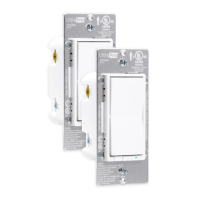

 To Next Page
 General