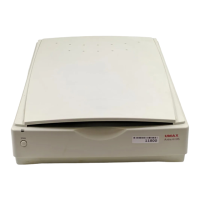
Flatbed Reflective: Scans paper originals (non-transparencies) e.g., photographs, documents, and
brochures.
Three other setting options appear onscreen that are available with this scanner: UTA Transmissive, UTA
Negative, Automatic Document Feeder.
Changing the Image Mode
VistaScan can scan a wide variety of image types.
True Color, RGB: Scans a full color photo or document. The RGB indicates the colors of Red, Green,
and Blue. This setting creates larger files than the B/W Photo setting.
True Color, CMYK: Converts RGB (video) color data into CMYK (printed) color data using a special
color transformation process. When scanning is completed the CMYK image is ready for printing on a
CMYK color printer.
NOTE: Most home printers work better using RGB than CMYK.
256 Colors: Scans color images using 256 colors. The 256 color images take up less memory and hard
disk space than the True Color RGB option.
Web Photo: Scans an image at the appropriate resolution for display on the monitor.
B/W Photo: Scans black-and-white photos using 256 shades of gray (ranging from white to black) so you
get smooth shade transitions in your scanned image.
B/W Document: Scans text documents, black-and-white line art, and other black-and-white documents.
This selection creates the smallest files.
FAX: Scans at the appropriate resolution for faxing.
OCR: Scans at the appropriate settings for optimal OCR recognition.
True Color 36-bit RGB: Scans a full-color photo or document using 36-bits of information to define each
pixel. The RGB indicates the colors of Red, Green, and Blue. This setting creates larger files than the True
Color RGB setting.
B/W Photo, 12-bit: Scans a black-and-white photo using 12-bits of data to define each pixel. This setting
produces more gray shade accuracy than the B/W Photo option, but produces larger file sizes.
17


 To Next Page
 Loading...