[UK] User Manual for BT Speaker
Item no: 871125249463
Model no: YL05
Key Functions
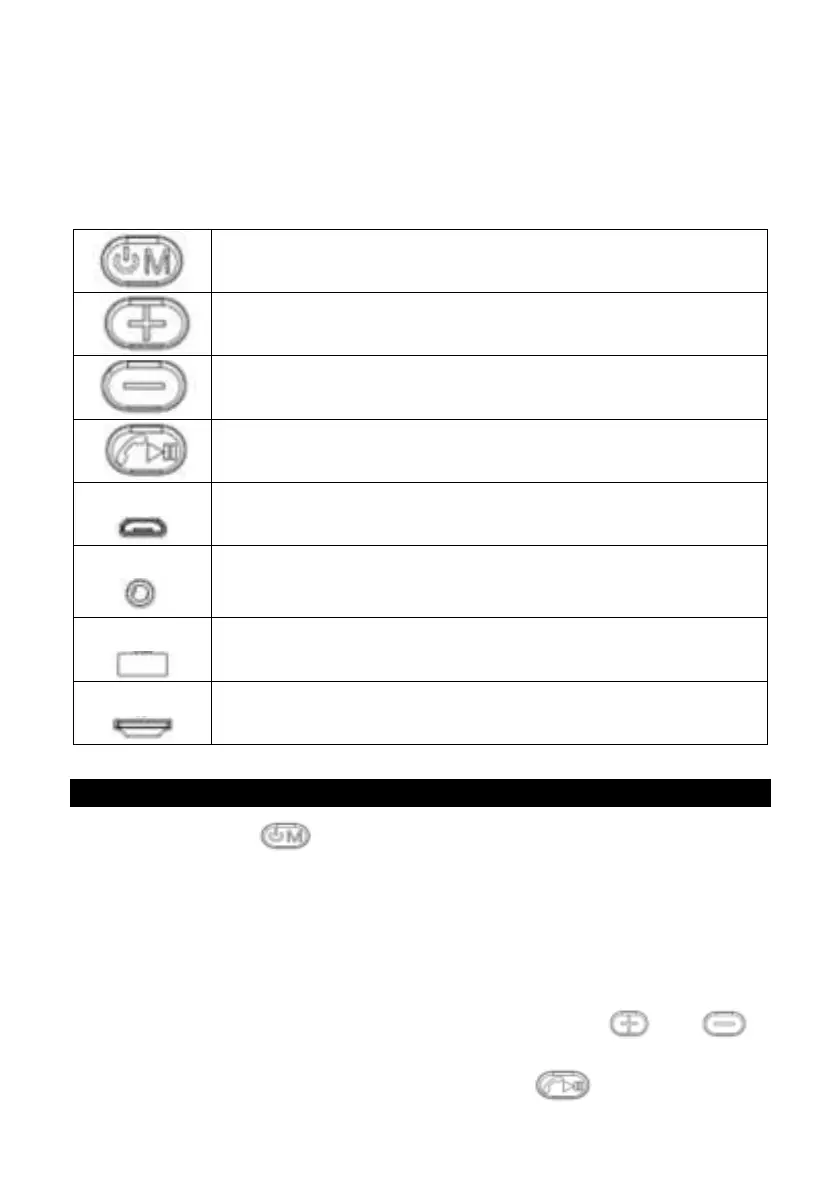
Power on/off
Switch between modes (Bluetooth, FM, TF card, USB)
Increase volume
Skip forward
Decrease volume
Skip backward
Micro-USB charging socket
TF card: Micro-SD memory card (up to 32GB)
Bluetooth Mode
a. Press and hold to turn on the device and enter Bluetooth mode.
b. Turn on Bluetooth on your smartphone or tablet and start searching for
the speaker. When ‘49463’ appears on your phone or tablet, click on it to
pair your device with the speaker.
Note: If your phone requires a password, enter ‘0000’ and confirm.
c. Adjust the volume or select last/next song by pressing and .
d. To answer an incoming phone call, briefly press . Press again to end


 To Next Page
 Loading...