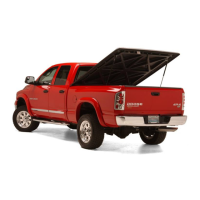
Installation Guide
SC401D - Drivers Side
Toyota Tacoma 2005-Current
Hardware Included
1. Truck Bracket
2. Self Drilling Screws (4)
3. Striker Bracket
1
2
3
1
2
1. TRUCK BRACKET INSTALLATION -
Remove the upper bolt from the ring that
attaches the factory tool box (T30 torx).
Position the truck bracket into place and
line up the hole in the truck bracket with
the hole for the torx bolt. Reinstall the
torx bolt, be sure the upper tab on the
truck bracket is tight against the vertical bed support
and tighten the bolt.
Finish attaching the bracket using the four(4)
supplied self drilling screws. Be careful not to over
tighten and strip out the screw holes.
2. STRIKER BRACKET INSTALLATION -
Remove the two rear bolts from the ring
that attaches the factory tool box (T30
torx). Install the striker bracket using the
factory torx bolts, use the two holes on
the right side of the bracket.
D
SC401D

 Need help?
 General

 To Next Page