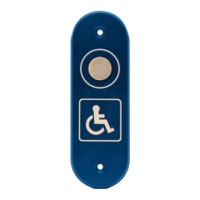
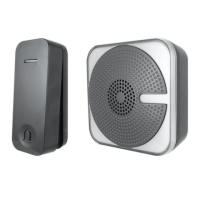
Standard Door Chime Unit
To fit or replace batteries: Slide open the battery cover, insert the batteries into the battery compartment
ensuring the battery polarities match the internal markings. Refit the battery cover.
If the chime no longer operates or the LED no longer operates on the transmitter unit, the batteries should be
replaced
Please note batteries should be inserted into the transmitter unit before the door chime unit. This enables the
pairing of the system. A double beep will be heard to indicate pairing successful. Touch the push button within 30
Requires 2x1.5v batteries (supplied)
Channel Set up
The unit comes from the factory on a pre-set radio frequency channel. However, should your door chime activate
intermittently for no reason at all it is possible that a similar unit is operating nearby on the same frequency.
To change the channel:
1. Remove the batteries from the chime unit
2. Remove the back of the transmitter unit case by pushing the tab on the bottom with a small flat screwdriver.
See figure 1.
3. Remove and refit the CR2032 battery
4. Snap the front cover back on
5. Refit the batteries into the chime unit. A double beep will be heard
6. Operate the doorbell to confirm the new code is working
Consumption : 2 x 1.5v AA (MN1500) Chime Sound 80mA
Operating Temperature : -10°C to +40°C
Operating Distance : Max 80 Meters (262ft) approx line of sight
Selectable Tones : 8 Selectable melodies
Specification


 To Next Page
 Loading...