Channel Set up
The unit comes from the factory on a pre-set radio frequency channel. However, should your chime activate
intermittently for no reason at all it is possible that a similar unit is operating nearby on the same frequency.
To change the channel:
1. Remove the batteries from the chime unit
2. Remove the back of the transmitter unit case by pushing the tab on the bottom with a small flat screwdriver.
See figure 1.
3. Remove and refit the CR2032 battery
4. Snap the front cover back onto the transmitter unit
5. Refit the batteries into the chime unit. A double beep will be heard
6. Operate the doorbell to confirm the new code is working
.
Should you need to change channels, this process can be followed many times as there are over 250 different
channels.
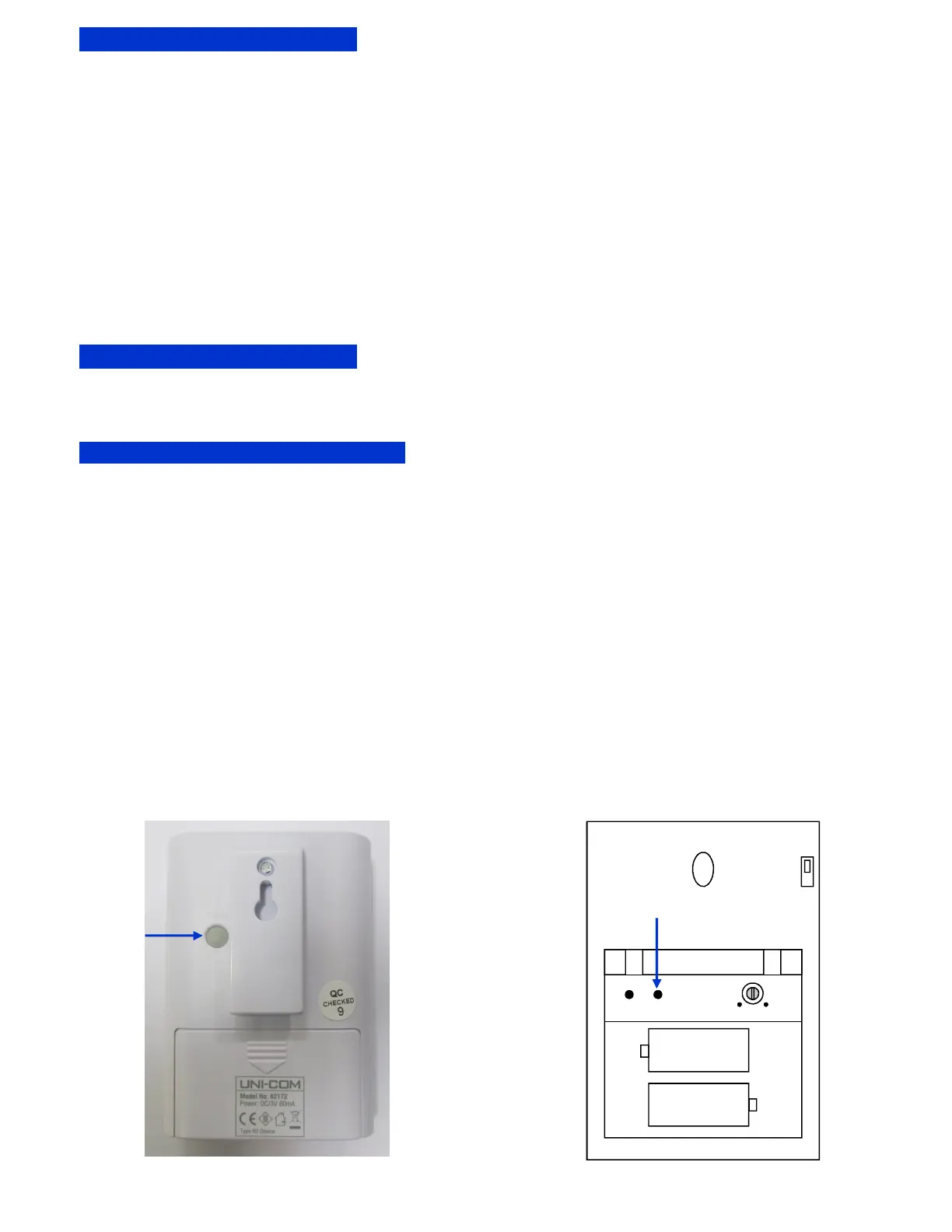
1. Press the ‘CODE’ button, located on the back of the Standard chime, for 1 to 2 seconds until a beep is
heard followed by step 3 below
2. Or if issued with the Illuminated chime, slide off the battery cover and press the ‘CODE’ button, for 1 to 2
seconds until a beep is heard followed by step 3 below
3. Press the new Doorbell within 5 seconds and the chime will sound.
A maximum of 4 Doorbell’s can be paired to the same chime
If a series of beeps are heard this indicates memory is full.
To reset:
1. Remove the batteries from the chime unit for 30 seconds
2. Remove and re-insert the batteries in the transmitter unit
3. Re-insert the batteries into the chime unit. A double beep will be heard
Adding additional Doorbell to chime
Additional Doorbell Units
Additional Doorbell Units can be purchased and installed at other locations i.e.. other entrances etc. They can be
adjusted to a different tone so that the source of the chime can be identified. Additional units can be obtained
from your retailer or from Pace Systems Ltd Telephone: 0800 0885861
Code
Button
Mode Code Volume
R14 or Size C
R14 or Size C
Mute
Switch
On
Off
+
+
Code
Button
Standard Door Chime Illuminated Door Chime


 To Next Page
 Loading...