Pressure Vent
Warning: Do not block. Warranty
will be void if seal is broken.
ProductNO. Description
G4
Charging
b-1
Power LED:
Fully Chargedb-2
G5
Chargingb-3
Entity Key
Red Light
Red Light
Orange Light
Green Light Fully Chargedb-4
NO. Description
G4 Receiving voice call or data callb-5
Message LED:
G5 Receiving voice call or data callb-6
Product Entity Key
Green Light
Green Light
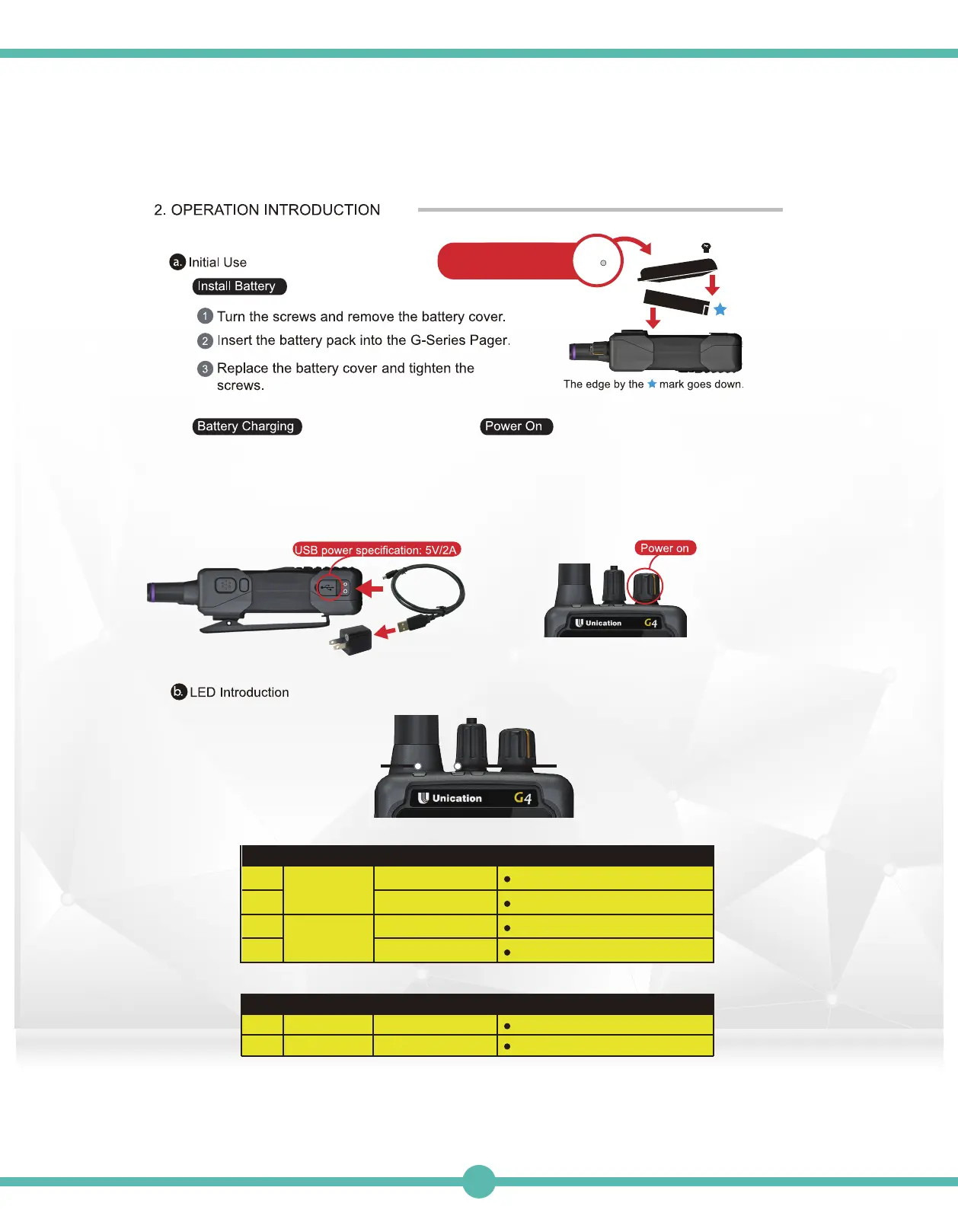
After the battery is installed, turn the
volume knob clockwise to power on the
G-Series Pager. You will hear a “click”
sound and see the word “Loading” appear
on the display screen.
The G-Series Pager has its own custom-
ized Lithium Polymer battery, and it can
be charged by a micro USB cable ( 5V /
2A ).
Message LEDPower LED
27



 To Next Page