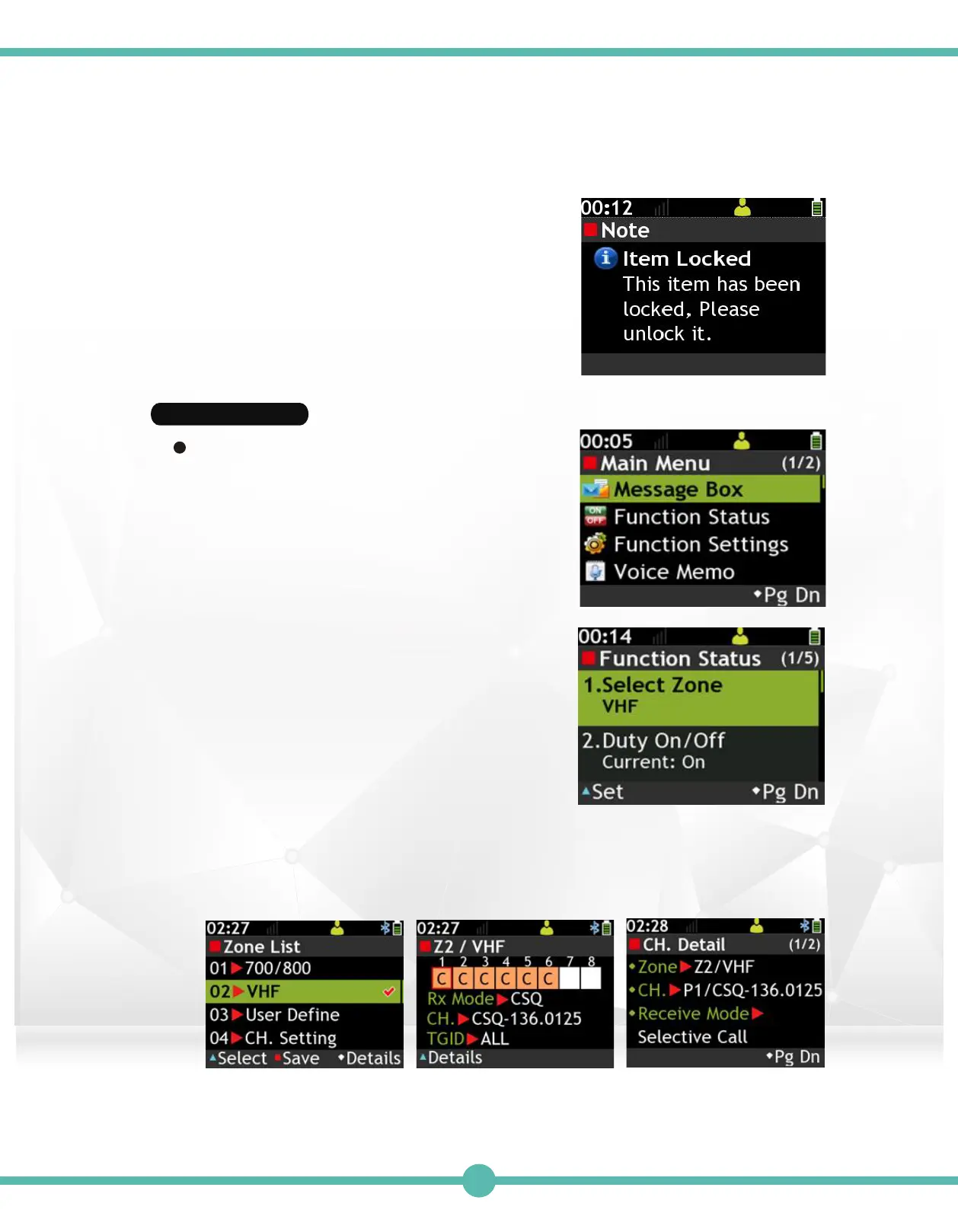
Function Status
Enter Function Status:
Use the Navigation Key to select Function
Status in the Main Meun
Basic Operations:
Use the Navigation Key to select features
to set.
"K4" to check for details "K1" to check for details
A locked item cannot be deleted.
A locked item cannot be deleted.
Note.
Press the"K1" Key to enter setting screen.
Select Zone1.
Select Zone List
Press the"K1" Key to enter the setting screen. Use the Navigation Key to select
a Zone and then press the "K1" Key to confirm. Press the "K2" Key to save. You
can press the "K4" to check the detailed information of the higlighted Zone.
33



 To Next Page