2-Tone Messages1.
Quick Call II Message Receiving
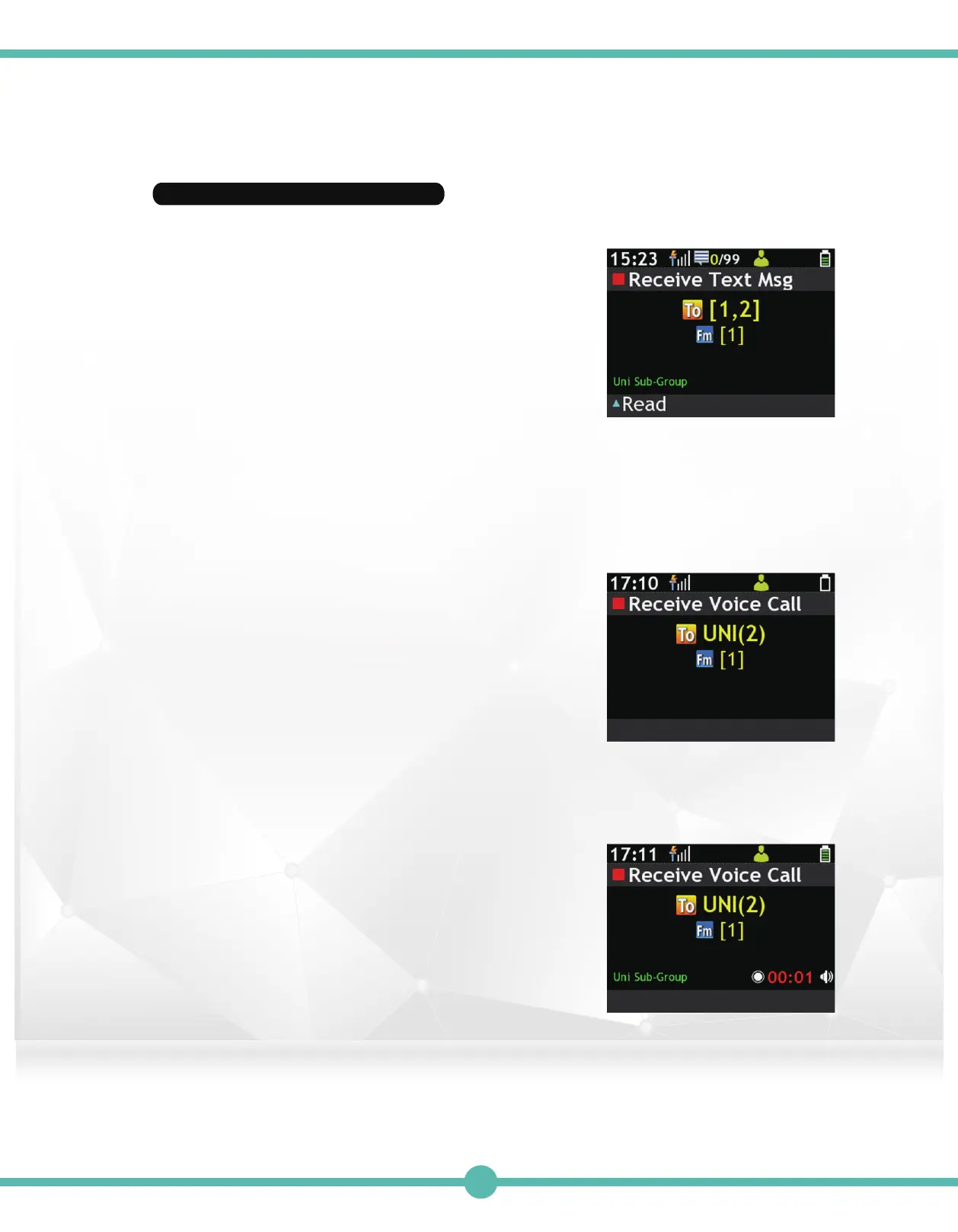
When the G Series Voice Pager
receives a 2-Tone Sub-Group
Message, it will display the following
screen, and will act accordingly to the
2-Tone ID Alert setting in the PPS.
Sub-Group Voice Call2.
When the G Series Voice Pager
receives a voice message from the
Dispatch Console with a Uni Header ID
Sub-Group Voice Message (for
example), the name will display the
screen below. The pager will act
accordingly to the Sub-Group ID setting
in the PPS.
Note : The “To: 1, 2” on the screen
displays the Tone names, in this
case, “Tone 1” and “Tone 2”.
Note: The screen above displays
the pager receiving a Uni Header
Sub-Group ID (2) Voice Call.
Note: The screen above displays
the pager receiving a Uni
Sub-Group ID (2) Voice Call, and
beginning to record the Call.
46



 To Next Page