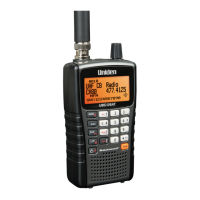
information about Tone Out Mode:
● BCD396XT or BC346XT: Hand Held Tone-Out Mode
● BCD996XT: BCD996XT Tone-Out Mode
● BCT15X: BCT15X Tone-Out Mode
To enter Tone Out mode, tap MENU , then scroll down and select Tone-
Out for...
To exit Tone Out mode, enter Scan mode.
Band Scope mode
The scanner searches a frequency ranges and displays a visual representation of the
signal level. For more information about Band Scope Mode:
● BCD396XT or BC346XT: Hand Held Band Scope Mode
● BCD996XT: BCD996XT Band Scope Mode
● BCT15X: BCT15X Band Scope Mode
To enter Band Scope Mode:
1. Set one of the 3 search keys to a Band Scope search.
2. Enter Search mode.
3. FUNCTION + Tap the designated search key.
This page applies to the following scanner(s): BCD996XT BCT15X BCD396XT
BC346XT Users Guide
file:///C|/Documents%20and%20Settings/POpitz/My%20D.../CDImage_090515/Manual/AvailableOperationModes.html (8 of 8)5/26/2009 11:12:22 AM


 To Next Page