2.
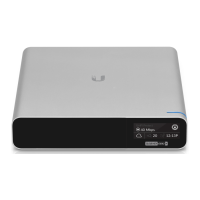
3. Insert the Cloud Key Gen2 Plus into the docking bay once the following three conditions
are met:
1. The 13-pin connector is face up
2. The LCD screen is face forward
3. There is no Ethernet cable connected to the Ethernet Port on the Cloud Key Gen2
Plus
Warning: To prevent creating a loop or other unfavorable behavior on the network, only
one Ethernet connection should be used. Do not use the Ethernet port on the Cloud Key
Gen2 Plus and the Rackmount Accessory simultaneously.


 To Next Page
