Service Manual
36
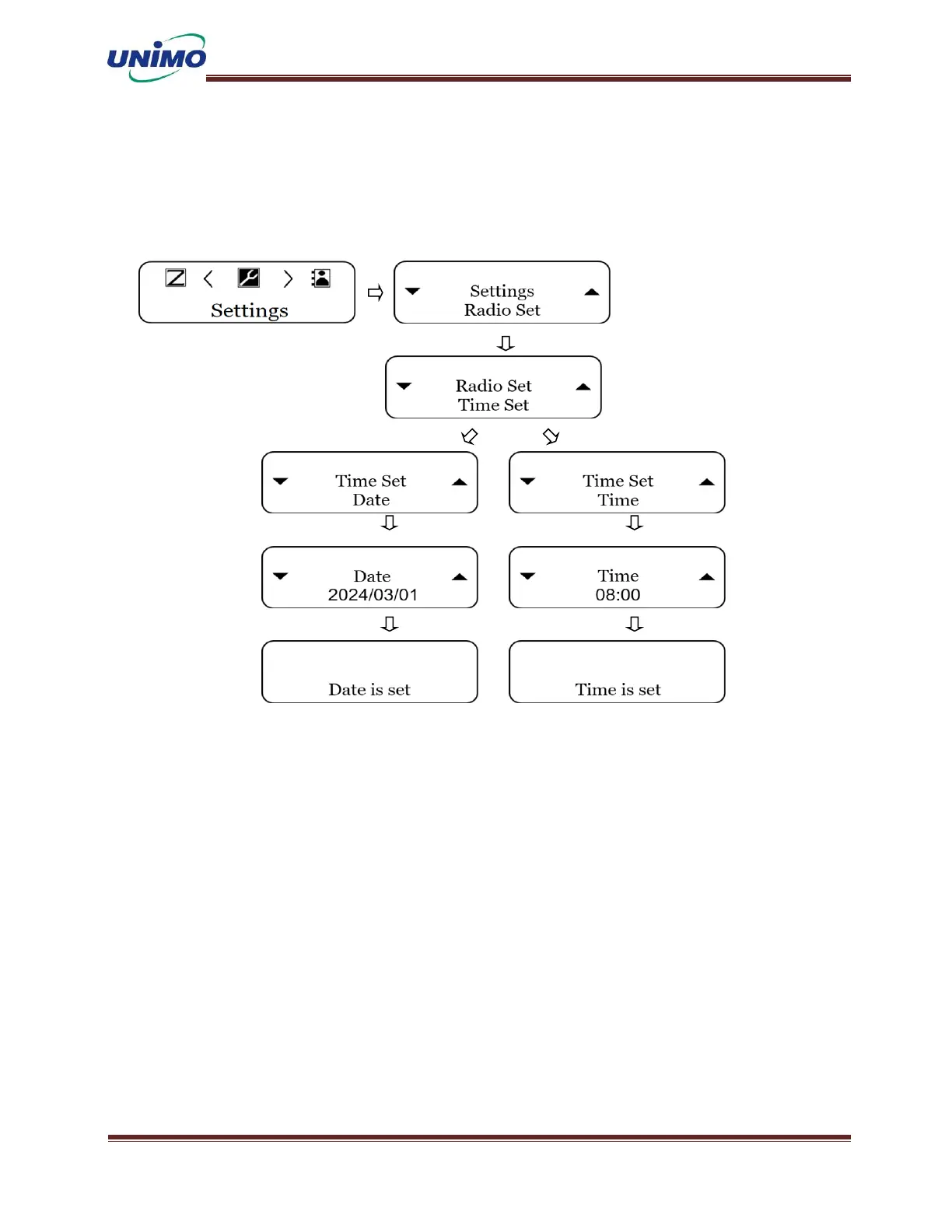
(LCD display: “Time”)
◼ Press the ‘MENU’ button to select the time. (LCD display: “10:54”)
◼ Change the time using the ‘UP, DOWN’ keys and the ‘Channel Selection Switch’.
(LCD display: “Time is set”)
Radio Setting - Backlight
Change the on/off, timing, and contrast of the radio's backlight.
BL(Back Light) Switch
◼ Press ‘MENU’ button to select the settings. (LCD display: “Radio Set”)
◼ Press ‘MENU’ button again (LCD display: “Backlight”)
◼ Press ‘MENU’ button again and select the BL switch using the ‘UP, DONW’ keys. (LCD
display: “BL Switch”)
◼ You can turn the BL value on and off using the ‘MENU’ button and the ‘UP, DOWN’
keys. (LCD display: “BL ON”, BL OFF)



 To Next Page