Service Manual
41
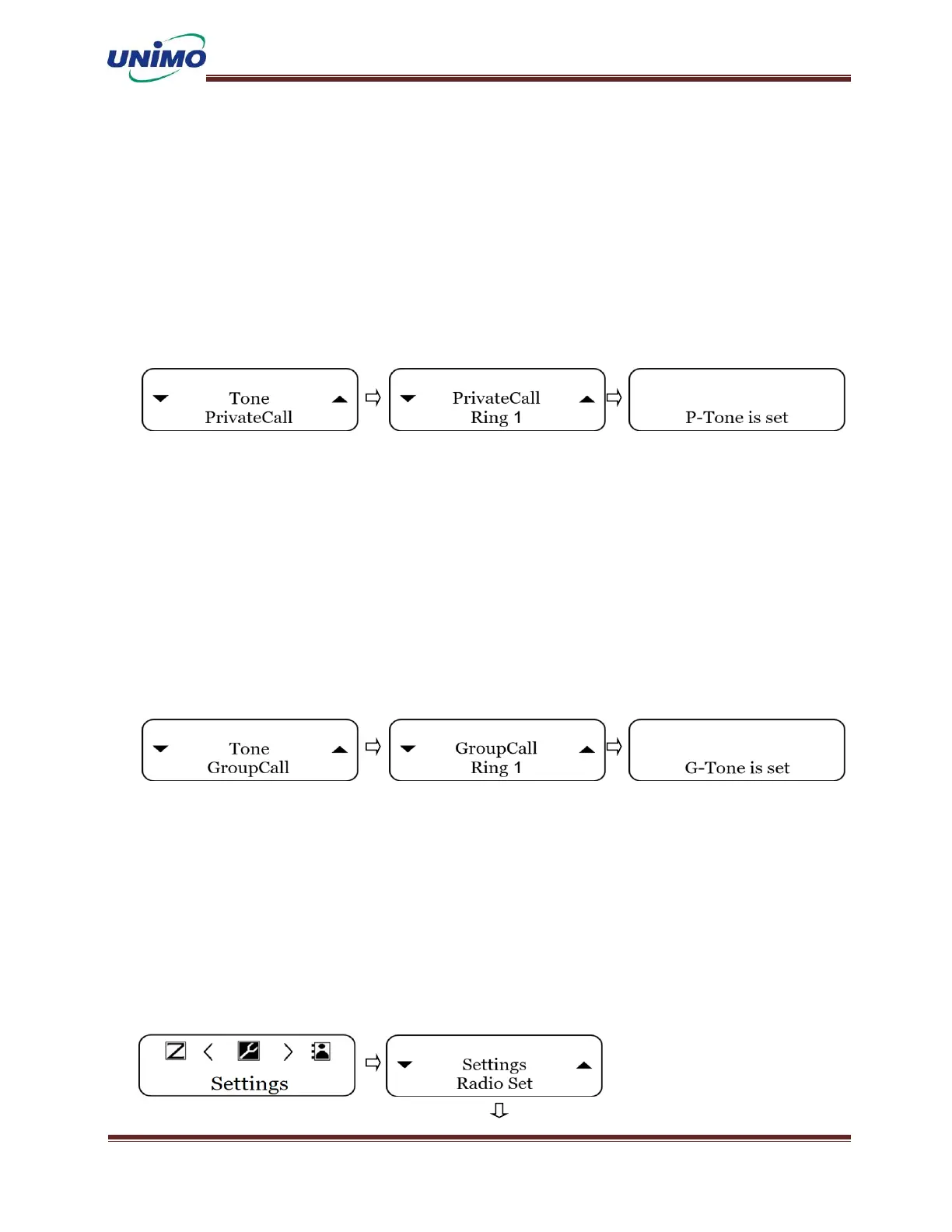
Radio Setting – Tone(Private Call)
◼ Press ‘MENU’ button to select the settings. (LCD display: “Radio Set”)
◼ Press ‘MENU’ button again (LCD display: “Tone”)
◼ Press ‘MENU’ button again and use the ‘UP, DONW’ keys to select a private call.
(LCD display: “PriavateCall”)
◼ Press ‘MENU’ button again and use the ‘UP, DONW’ keys to select the ring.
(LCD display: “Ring 1~5”)
Radio Setting – Tone(Group all)
◼ Press ‘MENU’ button to select the settings. (LCD display: “Radio Set”)
◼ Press ‘MENU’ button again (LCD display: “Tone”)
◼ Press ‘MENU’ button again and use the ‘UP, DONW’ keys to select a group call.
(LCD display: “GroupCall”)
◼ Press ‘MENU’ button again and use the ‘UP, DONW’ keys to select the ring.
(LCD display: “Ring 1~5”)
Radio Setting – Key Pad Lock
◼ Press ‘MENU’ button to select the settings. (LCD display: “Radio Set”)
◼ Select key lock with ‘UP, DOWN’ keys and press ‘Menu’ button again.
(LCD display: “Keypad Lock”)
◼ Press ‘MENU’ button again and use the ‘UP, DONW’ keys to select on or off.
(LCD display: “Keypad On”, “KeyPad Off”)



 To Next Page