UBio-X Face Premium User Guide 35
UNIONCOMMUNITY Co., Ltd.
Address: 12F, Munjeong Daemyeong Valeon bldg, 127 Beobwon-ro Songpa-gu,
Seoul, Korea (zip code: 05836)
Tel : 02-6488-3000 , Fax : 02-6488-3099, E-Mail :sales@unioncomm.co.kr
http://www.unioncomm.co.kr
3.3.1.4. Face Registration
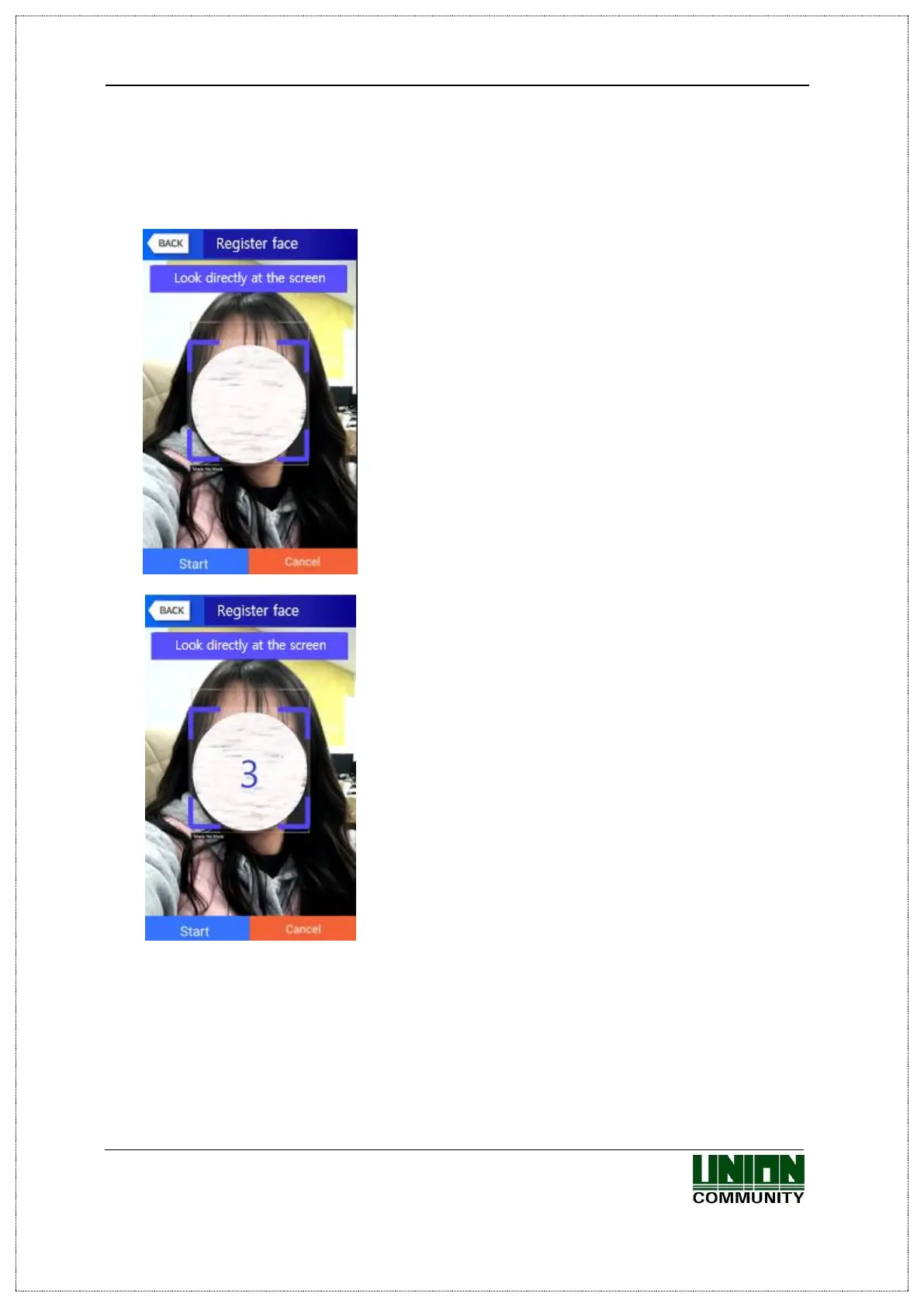
‘Register with referring ‘1.6. How to register and authorize the face properly’.
① As shown on the left screen, align the red guide that
recognizes the face with the center of blue outline and
register.
② Press the [Start] button to register the face.
As soon as the number on the screen is displayed as 0,
the face is registered, so please be caution not to blink the
eyes at this moment.

 To Next Page
 Loading...
