EN
2.Operation
Changing Modes
To set the U1 Smart Light on either Rear or Front Mode, power it on by pressing & holding the
power button until you see light. After getting a battery reading (displayed via a colored light bar),
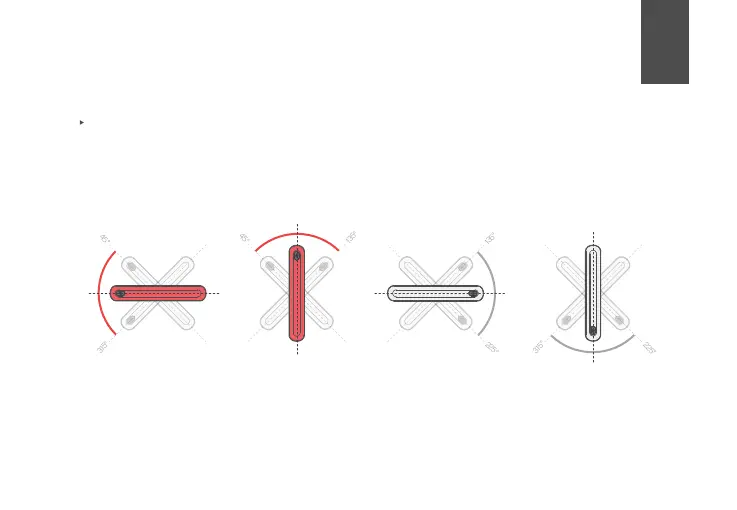
hold the light in one of these 4 positions to trigger the correct mode. Leave the light in position
for 5 seconds (either in your hand or inside a mount) to lock it into that mode. Mode will reset
when light is turned off.
IMPORTANT: Please note that vertical orientation do not support Turn Signals. Front (white)
lights will not support the automatic Brake Light.
90°
180°
270°
Rear
With turn signal No turn signal No turn signalWith turn signal
Rear Front Front
0°
9


 To Next Page
 Loading...