17
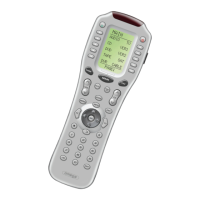
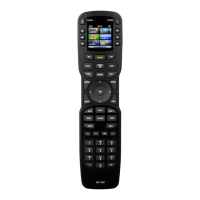
Press the button you wish to edit. The first character of your button
label blinks.
5
Blinking
Character
EDIT flashes at the bottom of the screen.
Universal Remote Control, Inc.
A,B,C,1
D,E,F,2
G,H,I,3
J,K,L,4
M,N,O,5
P,Q,R,6
S,T,U,7
V,W,X,8
Y,Z,9
DOWN Cursor
button deletes the currently
blinking character.
UP Cursor
button deletes ALL text.
LEFT Cursor
button
moves blinking
character left.
RIGHT Cursor
button
moves blinking
character right.
Change the character by
using any of the number
keys. Each press of the
same number button selects
the next character of that
number’s group, as shown
here.
Once the character you
want appears, move to the
next space by pressing the
RIGHT cursor button.
6




 To Next Page