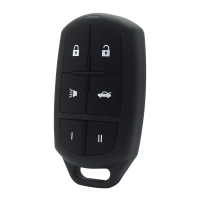
32
NOTE: Ensure any existing remotes are present when
pairing to vehicle.
1. Turn ignition from OFF to RUN 5 times within 10
seconds, with the 5th time ending in RUN.
Door
ORFNVZLOOF\FOHWRFRQ¿UPPAIRING MODE.
2. :LWKLQVHFRQGVSUHVVDQ\EXWWRQRQWKH¿UVW
remote.
3. 'RRUORFNVZLOOF\FOHWRFRQ¿UPSDLULQJ
4. If applicable, within 20 seconds, press any button on
the second remote.
5. 'RRUORFNVZLOOF\FOHDJDLQWRFRQ¿UP
6. Test all remotes.
20
21
23
22
NOTE: Ensure any existing remotes are present when
pairing to vehicle.
1. Close all doors.
2. Open driver’s door.
3. Insert key and turn to ON position and within 10
seconds turn key to OFF position and remove key.
NOTE: Ensure any existing remotes are present when
pairing to vehicle.
PAIRING
1. Put one key in the ON position in the ignition (do
not start) and put another key in the driver’s door
and turn to the unlock position (counter clockwise)
and hold until it beeps three times, about 10-15
seconds, then return to center position (leave in
the door).
2. Press one of the remote buttons (if you have more
than one, you must program all the remotes at the
same time or else the ones that worked will no
longer work).
3. The horn will beep once for the number of
UHPRWHVH[DPSOHEHHSIRUWKH¿UVWUHPRWH
2 beeps for the second, etc. Then turn the door
key back to left until the horn beeps three times
to deactivate PAIRING MODE, and remove the
ignition key.
4. Test all remotes.
19
NOTE: Ensure any existing remotes are present when
pairing to vehicle.
1. Turn the ignition from OFF to RUN 4 times within
6 seconds.
2. Turn the ignition OFF. The LED in the clock/trip
FRPSXWHUZLOOOLJKWXSFRQWLQXRXVO\WRFRQ¿UP
PAIRING MODE.
3. :LWKLQVHFRQGVSUHVVDQ\EXWWRQRQWKH¿UVW
remote. The LEDLQWKHFORFNZLOOÀDVKWLPHVWR
FRQ¿UPSDLULQJ
4. If applicable, within 20 seconds, press any
button on the second remote.
5. Turn the ignition to RUN. The LED will turn off to
indicate end of PAIRING MODE.
6. Test all remotes.
4. Within 20 seconds close and open driver’s door
3 times.
5. Insert key and turn to ON position and within 10
seconds turn key to OFF position and remove key.
6. Locks should now lock and unlock automatically
WRFRQ¿UP\RXKDYHHQWHUHGPAIRING MODE.
7. Press the UNLOCK button on remote and locks
VKRXOGF\FOHWRFRQ¿UPSDLULQJ
8. Repeat Step #3 on each additional remote.
9. Exit vehicle with keys and remote, close door.
10. Test all remotes.
NOTE: Ensure any existing remotes are present when
pairing to vehicle.
1. Open driver’s door.
2. +ROGWKHKLJKEHDPVHOHFWRUDUPWRZDUGV\RXDQG
LQVHUWLJQLWLRQNH\DQGNH\WR¿UVWSRVLWLRQ(ACC).
3. Release the high beam selector and then pull and
release the high beam selector 4 times. After the 4th
time you will hear a chime.


 To Next Page
 Loading...