UNIWILL COMPUTER CORP.
No. 24., Pei Yuan Road,
Chung Li Industrial Park, Chung Li City
Taiwan, R.O.C.
TEL: 886-3-461-6000
FAX: 886-3-461-8000
URL: http:// uniwill.com.tw/
System Disassembly
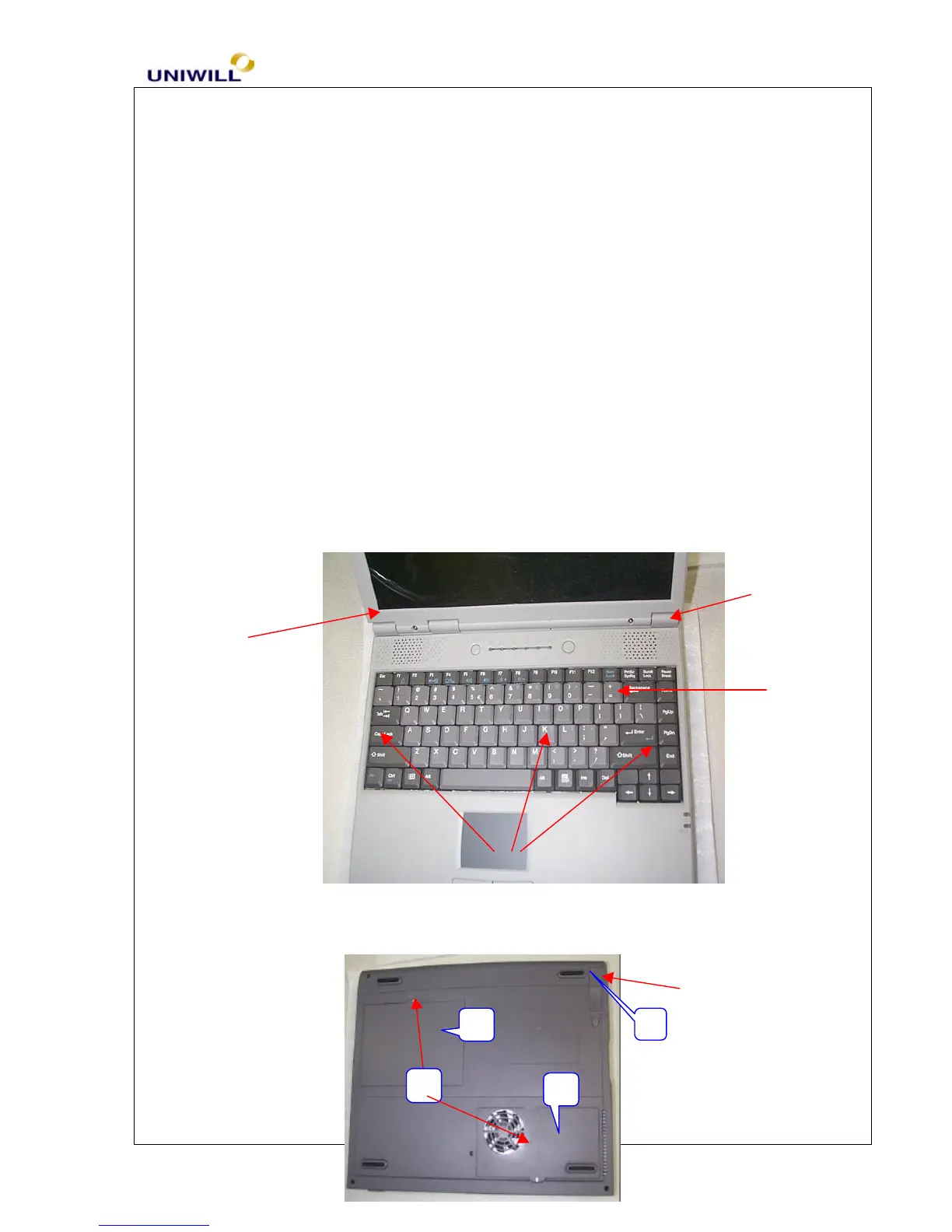
1. Remove LEFT HINGE and RIGHT HINGE COVERS.
2. To remove K/B, unlock the latches of the K/B.
3. Remove SCREW (#1) of HDD COVER (#2) and CPU DOOR (#3).
4. Disassemble BATTERY by unlocking the BATTERY KNOB (#4)


 To Next Page
 Loading...