This document is a user manual for an Upstreman refrigerator, models BR321 and SR321. It provides essential information regarding safety, installation, operation, maintenance, and troubleshooting for the appliance.
Function Description
The Upstreman refrigerator is designed for storing food and beverages, keeping them cool and fresh. It features a chiller compartment for items requiring colder temperatures, such as frozen foods or items needing to be kept at 32°F (0°C). The unit includes removable shelves and door bins for organized storage.
Important Technical Specifications
- Voltage/Frequency: 115V/60Hz.
- Temperature Control: The unit operates within a temperature range of 90°F (32°C). The thermostat dial allows users to adjust the internal temperature.
- Power Cord: The refrigerator is equipped with a standard 115/120 Volt AC ~60Hz electrical outlet with a three-prong plug. It is recommended to use a dedicated circuit for the appliance.
- Refrigerant: The manual mentions "Flammable refrigerant" and "Flammable refrigerant gas," indicating the use of a specific type of refrigerant that requires careful handling and disposal.
- Power Consumption: The manual advises against overloading the unit, as this forces the compressor to run longer, implying increased power consumption.
- Dimensions and Weight: While specific dimensions and weight are not provided, the diagram shows a compact, single-door refrigerator suitable for smaller spaces.
Usage Features
- Temperature Setting: The thermostat dial, located on the upper right-hand side of the compartment, controls the temperature. Users can set it from "0" (off) to "5" (coldest). It is recommended to adjust the temperature control to "0" and then to "5" for 24 to 48 hours after initial setup to allow the unit to stabilize.
- Chiller Compartment: This compartment is designed for the production of ice cubes and short-term storage (3-4 days) of commercially frozen foods. It is not intended to keep food frozen for extended periods.
- Storage: The refrigerator includes door bins, a drip tray, and removable shelves (both big and small) for flexible storage options.
- Leveling Legs: The unit is equipped with leveling legs to ensure stability and proper operation.
- Door Reversibility: The manual mentions that the door opening direction can be reversed from either the left or right side, providing flexibility in placement.
- Energy Saving Tips:
- Locate the unit in the coolest area of the room, away from heat-producing appliances and direct sunlight.
- Allow hot foods to cool to room temperature before placing them in the unit.
- Wrap foods properly and wipe containers dry to prevent frost buildup.
- Avoid lining the unit storage bin with aluminum foil, wax paper, or paper toweling, as this interferes with cold air circulation.
- Organize and label food to reduce door openings and extended searches.
Maintenance Features
- Defrosting: The unit should be defrosted when frost accumulation on the evaporator reaches about 5mm (1/5 inch) thick. To defrost, set the thermostat to "0," remove all food, and allow the ice to melt into the water collection tray. The water collection tray should be removed and dried. For quicker defrosting, leave the door open. The manual explicitly warns against using knives or metallic instruments to scrape ice/frost, as this can damage cooling coils and void the warranty. A plastic scraper is recommended.
- Cleaning:
- Before cleaning, turn the temperature control to "0" and unplug the unit.
- Remove food, shelves, and trays.
- Clean inside surfaces with a warm water and baking soda solution (2 tablespoons of baking soda per quart of water).
- Wash shelves and trays with a mild detergent solution.
- Clean the outside of the unit with mild detergent and warm water, then rinse and wipe dry with a soft cloth.
- Wring excess water from sponges or cloths when cleaning near controls or electrical parts.
- The manual warns against using boiling water, as it may damage plastic parts.
- Power Failure: During a power failure, minimize door openings to maintain internal temperature. For extended outages, take steps to protect food.
- Vacation Care:
- Short Vacations (less than three weeks): Leave the unit operating.
- Long Vacations (several months): Remove all food, unplug the power cord, clean and dry the interior thoroughly, and leave the door slightly open to prevent odors and mold.
- Moving the Unit:
- Remove all food.
- Securely tape down loose items inside.
- Turn leveling screws up to the base.
- Tape the door shut.
- Ensure the unit remains upright during transportation and protect the exterior with a blanket or similar item.
The manual emphasizes several safety precautions:
- DANGER/WARNING/CAUTION Symbols: These symbols are used to alert users to potential hazards that could cause injury, death, or property damage.
- Electrical Safety:
- Do not use an extension cord or adapter.
- Ensure the refrigerator is properly grounded.
- Unplug the unit before cleaning or servicing.
- Do not operate the unit with wet hands.
- Avoid pulling the power cord to unplug the unit; grasp the plug firmly.
- Do not use the unit if the power cord is damaged.
- Flammable Refrigerant: The unit contains flammable refrigerant. Do not puncture refrigerant tubing or use mechanical devices to defrost. Repairs should only be performed by trained service personnel.
- Child Safety: Never allow children to operate, play with, or crawl inside the refrigerator.
- Ventilation: Ensure proper ventilation for the refrigerator. The front of the unit must be completely unobstructed. Choose a well-ventilated area with temperatures above 60°F (16°C) and below 90°F (32°C).
- Storage: Do not store or use gasoline or other flammable vapors and liquids in the vicinity of this or any other refrigerator.
- Disposal: The manual includes symbols indicating proper disposal and recycling of the appliance.
The manual also includes a troubleshooting guide to help users diagnose and resolve common issues such as the unit not operating, frequent cycling, vibrations, excessive noise, and the door not closing properly. A wiring diagram is provided for technical reference.

 Need help?
 General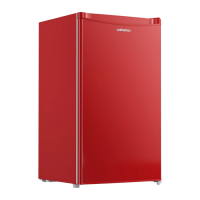

 To Next Page