
 Need help?
Do you have a question about the Urbanista Tokyo and is the answer not in the manual?
Explains the process of pairing earphones with a Bluetooth device, including LED indicators.
Details steps for powering on earphones and initiating auto-pairing mode for Bluetooth search.
Describes how to use multifunction buttons for calls, music playback, and voice commands like Siri.
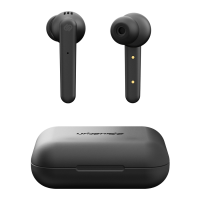
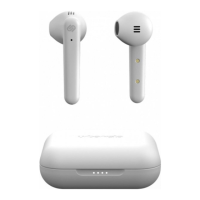
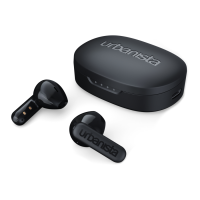
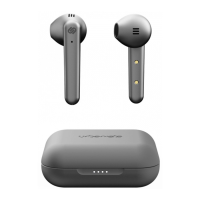
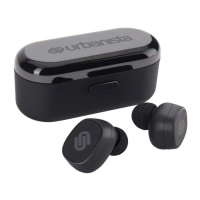
The Urbanista Tokyo earphones offer a truly wireless audio experience, designed for individuals seeking freedom from tangled wires and a seamless integration of music and calls into their daily lives. These noise-isolating earphones are crafted with an ergonomic design, ensuring a comfortable and secure fit for most ears across various occasions, whether you're working, exercising, or enjoying an evening run.
The primary function of the Urbanista Tokyo earphones is to provide high-quality musical enjoyment and facilitate hands-free communication. They connect wirelessly to your Bluetooth-enabled devices, allowing you to listen to music, answer calls, and interact with voice assistants without needing to physically handle your phone. The "True Wireless" nature means each earbud operates independently, offering a flexible and unencumbered user experience.
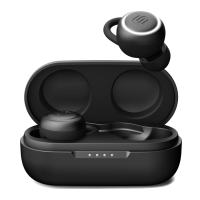
To begin using your Urbanista Tokyo earphones, simply remove both earbuds from their charging case. They are designed to power on automatically upon removal. The right earbud (marked with 'R') will then enter pairing mode, indicated by a flashing red and blue LED light. At this point, the earphones are ready to be discovered and paired with any Bluetooth-enabled device. Once successfully connected, the LED indicator on the right earbud will flash blue, signifying a successful pairing and readiness for use.
For establishing a new Bluetooth connection, or if the earphones do not automatically enter pairing mode, you can manually initiate the process. Press and hold the right earphone (R) for 2 seconds to power it on. Continue to wait for 10 seconds, after which the earphones will automatically enter pairing mode. You can then open your phone's Bluetooth settings and search for the Urbanista Tokyo to connect.
The Urbanista Tokyo earphones are equipped with easy-to-use multifunction buttons on both the right (R) and left (L) earbuds, allowing for comprehensive control over your audio and call functions.
Powering On/Off:
Call Management:
Music Playback:
Volume Control:
Voice Assistant Activation:
The Urbanista Tokyo earphones come with a portable charging case that not only protects the earbuds but also recharges them on the go.
Charging the Case: To charge the charging case itself, use the complimentary USB cable provided. Plug the USB cable into any standard power source, such as a computer's USB port or a wall adapter (not included). During the charging process, a red LED indicator on the case will illuminate, signifying that it is actively charging. Once the case is fully charged, the red LED will turn off. A full charge for the case typically takes approximately 2 hours.
Earphone Recharging: The fully charged case is capable of recharging your earphones multiple times. It can provide 3-4 full charges for the earbuds, extending your total listening time significantly. This translates to approximately 14 hours of additional play time, ensuring your music and calls are always available when you need them. When the earphones are placed back into the charging case, they will automatically begin to recharge, preparing them for your next use.
The lightweight design of the Urbanista Tokyo earphones makes them a pleasure to wear for extended periods, contributing to their overall user-friendly nature. The emphasis on "Absolute Wireless Freedom" is evident in every aspect of their design and functionality, from the automatic pairing to the intuitive controls and convenient charging solution.
 General
| Impedance | 16 Ω |
|---|---|
| Driver unit | 4 mm |
| Ear coupling | Intraaural |
| Headphone frequency | 20 - 20000 Hz |
| Headphone sensitivity | 42 dB |
| Standby time | 100 h |
| Rechargeable battery | Yes |
| Continuous audio playback time | 3 h |
| USB connector | Micro-USB |
| 3.5 mm connector | No |
| Bluetooth version | 4.2 |
| Connectivity technology | Wireless |
| Headset type | Binaural |
| Product type | Headset |
| Product color | Black |
| Wearing style | In-ear |
| International Protection (IP) code | IPX4 |
| Mobile operating systems supported | Android, Windows Mobile, iOS |
 Weight and Dimensions
| Left earpiece weight | 4.6 g |
|---|---|
| Charging case dimensions (W x D x H) | 69 x 30 x 29.5 mm |

 To Next Page