BLACK BOX
URIVE SINGLE PLUS
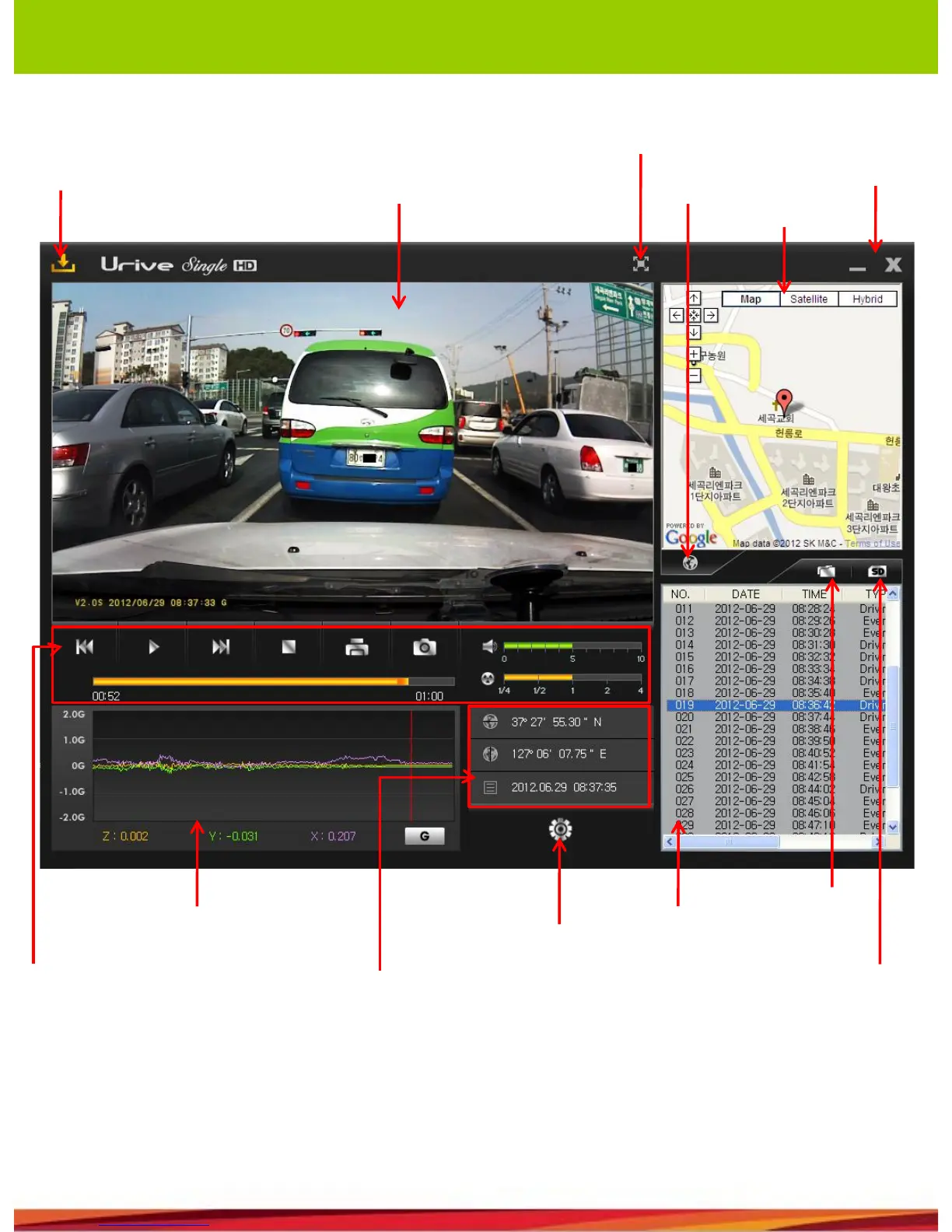
10. Viewer description
PC Viewer automatic
upgrade
Minimize
the screen
& Exit
Map view
Front view
Map display &
hide
playback
controller
Speed /
acceleration
graph
Latitude/longitude/t
ime
Blackbox
configuration
List of files
File open
Bring the files list
from the SD/SD
format & checking
• Latitude, longitude, speed and map information are available only when the external GPS
Module (optional) is connected.
• When a video is recorded and played in Mute mode, “M” is displayed on the bottom-right of
the front view image.
• If GPS module operates normally, “G” is displayed on the bottom of the Front View window.
Full screen



 To Next Page