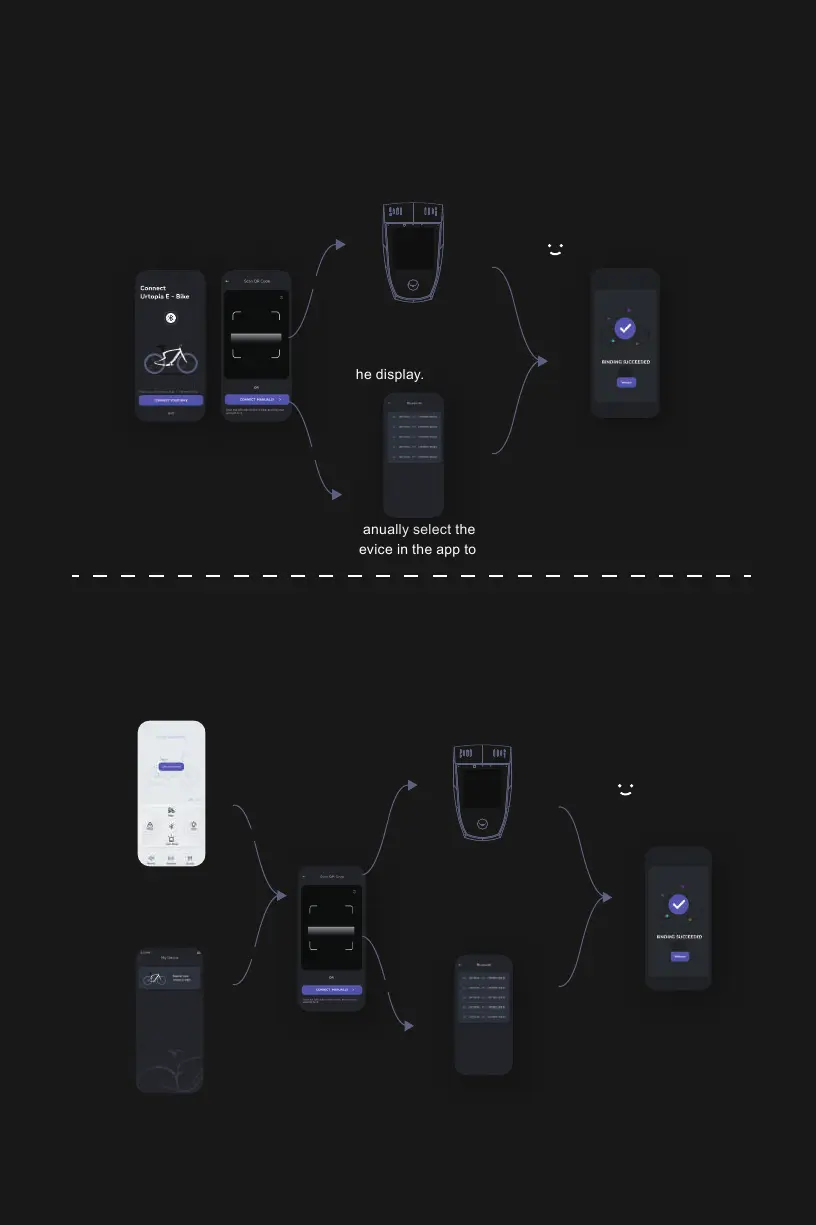
When you successfully log in to the Urtopia app using a registered account,
you can find the binding feature on two different screens in the app.
Enter the app's Smartbar
Control page and click on
"Get connected".
Or,enter Mine page on bottom
right,go to Settings on top right
and click on My Device.
When you first register for the app, the app will automatically guide you
to bind your bike. Simply follow the instructions to easily bind the bike.
01 .SCENE
02 .
SCENE
STEP 3
COMPLETE
STEP 2
STEP 1
Method 2
Method 1
Method 2
STEP 1
STEP 3
COMPLETE
STEP 2
Press any key on the
Smartbar and scan the
QR code shown on
the display.
Manually select the bike
device in the app to bind.
Press any key on the
Smartbar and scan the
QR code shown on
the display.
Manually select the bike
device in the app to bind.
Method 1
Method 2
21


 To Next Page
 Loading...